
Table of Contents
- What You'll Need Before Automating Home Service Leads
- Step 1: Set Up 24/7 Lead Capture Mechanisms
- Step 2: Build Automated Lead Follow-Up Scripts
- Step 3: How to Qualify Home Service Leads Automatically
- Home Service Marketing Automation Tools Comparison
- Cost-Benefit Analysis: DIY Automation vs. Managed Solutions
- Compliance and Privacy in Automated Lead Outreach
- Common Mistakes to Avoid When Automating Leads
Last Updated: July 14, 2026
What You'll Need Before Automating Home Service Leads
Before implementing automation, establish foundational infrastructure: a CRM system to organize leads, communication channels (email, SMS), and clear lead qualification criteria. Your CRM must track lead source, contact information, service area, estimated job value, and pipeline status. If you capture leads from multiple sources, Google Local Services Ads, your website, Facebook, phone calls, your CRM must unify them into a single view.
Ensure your CRM integrates with your booking system, communication tools, and field service management platform. Native integrations are cleaner than tools like Zapier or Make.
Establish baseline metrics before automating: current response time to leads, conversion rate from lead to estimate, and estimate-to-job close rate. These become your ROI benchmark after automation launches.
Step 1: Set Up 24/7 Lead Capture Mechanisms
A lead captured at 2 AM is worthless if nobody responds until 9 AM. Your competitors are already answering by then.
Online booking and scheduling automation
Your website needs a booking widget that lets customers request service times without talking to anyone. The widget should integrate directly with your calendar system. When someone books a 2-hour plumbing job on Thursday at 10 AM, that time slot immediately blocks in your technician's schedule with no manual data entry.
Jobber and Housecall Pro excel at this. Their online booking systems sync directly to their CRMs and calendars. The booking form should ask qualifying questions: "What's your service area?" and "Is this a new installation or repair?" Filter out leads outside your service radius automatically.
AI-driven lead generation strategies
AI agents should answer your phone 24/7. Smith.ai and LeadTruffle offer AI receptionists that answer calls, ask qualifying questions, and log lead information directly into your CRM.
When a customer calls after hours, the AI answers, greets them by name if they're in your system, and asks "What service are you looking for today?" It captures everything and schedules the appointment directly into your calendar if slots are available. If not, it promises a callback within 2 hours of business opening. The entire conversation is logged and transcribed.
Smith.ai integrates with 7,000+ CRMs and business tools. LeadTruffle is purpose-built for home services. Both eliminate missed calls, the single biggest source of lost revenue for service businesses.
Step 2: Build Automated Lead Follow-Up Scripts
Capturing a lead means nothing if you don't follow up within the first hour. Most home service businesses wait until the next business day, losing to competitors who respond immediately.
Automated follow-up sequences should trigger the moment a lead enters your system. The first message goes out within 15 minutes.
Email and SMS automation sequences
Email works for detailed information. SMS works for time-sensitive reminders and quick confirmations.
A typical sequence for a plumbing lead:
Message 1 (SMS, 15 minutes): "Hi [Name], thanks for requesting plumbing service. We saw your request for a [service type] on [date]. We'll confirm availability within 2 hours. Reply STOP to opt out."
Message 2 (Email, 2 hours later): Subject: "Your plumbing appointment confirmed for [date] at [time]", Includes appointment details, what to expect, cancellation policy, and a reschedule link.
Message 3 (SMS, 24 hours before): "Hi [Name], reminder: we're coming tomorrow at [time] for your [service]. Reply with any questions."
Message 4 (SMS, 2 hours before): "We're on our way! Our technician [Name] is 15 minutes out. Reply with gate code if needed."
Message 5 (Email, after completion): "Thanks for choosing us! Here's your invoice. Please leave a review if you're happy with the work."
This entire sequence runs automatically. No human touches it unless the customer replies with a question or cancellation.
Broadly and Nutshell automate this type of sequence. Sequences should adapt based on customer behavior. If someone doesn't confirm their appointment within 24 hours, a follow-up message asks if they still need the service.
Personalized outreach and messaging
Use data you actually have: their name, the specific service they requested, the date and time they asked for. ServiceTitan's Marketing Pro suite lets you segment leads by service type, location, and job value. Create different sequences for emergency calls versus routine maintenance.
The most effective personalization is behavioral. If a customer viewed your pricing page three times but never booked, send a message addressing common objections.
Step 3: How to Qualify Home Service Leads Automatically
Not all leads are equal. A $300 repair is not the same as a $15,000 renovation. Your qualification system should distinguish between them and route them accordingly.
Automated lead qualification uses AI to score prospects based on criteria you define. The system looks at service type, job value, location, response time, and customer behavior to assign a score. High-scoring leads get immediate attention. Low-scoring leads get slower follow-up or are deprioritized.
AI agents and lead scoring systems
LeadTruffle uses SMS conversations to qualify leads in real time. Based on answers to qualifying questions, it assigns a lead score and routes the prospect to the right team member.
ServiceTitan's lead scoring system lets you define rules: "A lead in our primary service area gets +10 points. Emergency service gets +15 points. Repeat customer gets +20 points." The system calculates a total score and flags high-priority prospects.
The scoring system should also identify disqualified leads. If someone requests a service you don't offer, is outside your service area, or has a job value below your minimum, the system marks them "not a fit" and stops follow-up.
Housecall Pro's Pipeline feature visualizes this qualification process. Leads enter at "New" stage and progress to "Qualified," "Estimate Sent," "Negotiating," or "Not a Fit" as they move through conversations.
| Lead Qualification Method | Setup Time | Accuracy | Best For |
|---|---|---|---|
| AI SMS qualification (LeadTruffle) | 2-3 hours | High | High-volume, quick decisions |
| CRM lead scoring (ServiceTitan) | 1-2 weeks | Very High | Complex criteria, multiple factors |
| Manual questions in booking form | 1 hour | Medium | Small businesses, simple criteria |
| Pipeline stage tracking (Housecall Pro) | 1 day | High | Visual teams, clear sales process |
Home Service Marketing Automation Tools Comparison
Jobber is built for small to mid-sized teams. Its strength is simplicity. Online booking works out of the box. Best for under 15 technicians who want to get running fast.
ServiceTitan is enterprise-grade for large operations with 25+ technicians and multiple service lines. The Marketing Pro suite runs hyper-targeted campaigns and integrates directly with Google Local Services Ads.
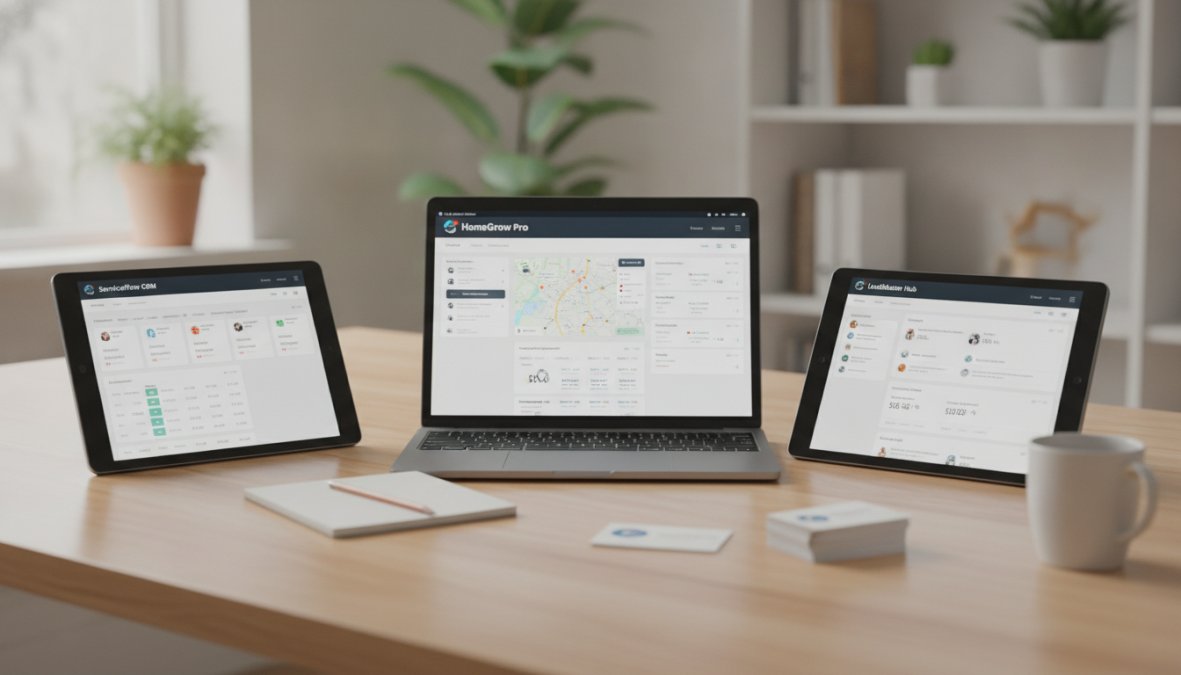
Housecall Pro splits the difference. It's mobile-first, which matters if your team works in the field. The Pipeline feature visualizes your entire sales process.
Smith.ai is specialized for call answering and lead capture. It's not a full CRM but integrates with your existing system. Its value is eliminating missed calls.
Broadly is a reputation and customer engagement platform. It consolidates SMS, email, and web chat messages into one inbox and generates review requests automatically after job completion.
Nutshell is a visual CRM built around Kanban boards. Leads appear as cards you drag across stages. Automation is straightforward: "When a lead reaches this stage, send this email."
For most home service businesses: If you have under 15 technicians and want simplicity, choose Jobber. If you're large and need sophisticated marketing automation, choose ServiceTitan. If you're mobile-first, choose Housecall Pro. If your primary problem is missed calls, add Smith.ai on top of whatever CRM you choose.
Cost-Benefit Analysis: DIY Automation vs. Managed Solutions
DIY automation using Zapier or Make costs under $100 per month but requires technical knowledge to build and troubleshoot workflows yourself.
Managed solutions handle the entire automation stack. You describe your process. The provider designs the system, builds integrations, and operates it. You focus on closing deals.
The ROI calculation is straightforward: How much revenue do you lose per missed lead? If you're losing $5,000 in jobs per month because leads aren't being followed up, then a $2,000/month automation solution is a bargain. Most home service businesses see results within 30 days.
Compliance and Privacy in Automated Lead Outreach
Automation at scale creates compliance risk. The primary regulation is CAN-SPAM in the United States. Every marketing email must include an unsubscribe link. Every SMS must include a STOP option. Failure to comply results in fines up to $43,280 per violation.
Your automation system should enforce compliance automatically. When someone replies STOP to an SMS, the system should immediately remove them from all future messages.
GDPR applies if you have any customers in Europe. You need explicit consent before sending marketing messages. Get consent during lead capture with a checkbox: "I'd like to receive updates about my service via email and text."
SMS is more regulated than email. You can't send SMS without explicit prior consent. Your automation system should track consent status for each customer and block outbound calls to Do Not Call list numbers automatically.
Common Mistakes to Avoid When Automating Leads
The most common mistake is automating a broken process. Document your ideal process from lead arrival to job completion before automating.
The second mistake is over-personalizing. Use personalization for real insights: "You asked about emergency plumbing service. We can dispatch someone within 2 hours" is personalization.
The third mistake is not testing before going live. Set up your automation sequences and test them on yourself. Does the email arrive? Is the booking link working?
The fourth mistake is ignoring unsubscribes and opt-outs. If someone says STOP, your system should respect their wishes immediately.
The fifth mistake is not measuring results. Track metrics before and after automation: How many leads are you capturing? What percentage convert to estimates? Are response times improving?
The sixth mistake is choosing the wrong tool for your situation. Choose based on your actual needs, not feature lists.
The seventh mistake is treating automation as "set it and forget it." Review your sequences quarterly. Are they still relevant? Are customers complaining about message frequency?
Automating home service leads is not optional anymore. Businesses that respond to leads within 15 minutes close more deals than businesses that respond in 24 hours. Businesses that qualify leads automatically waste less time on low-probability prospects.
The challenge is that automation is complex. There are dozens of tools, hundreds of integration points, and countless ways to get it wrong. Specialized agencies handle designing and operating custom AI systems that simplify your lead automation. They manage voice agents that answer calls 24/7, SMS and email sequences that move prospects toward closing, and CRM integrations that eliminate manual data entry. A fully managed approach means you focus on closing deals while the technical heavy lifting is handled by experts.
Frequently Asked Questions
What is the best way to automate lead generation for home services?
The best approach combines multiple automation layers: 24/7 lead capture via online booking forms and AI chatbots, CRM integration to centralize leads, and automated follow-up sequences via email and SMS. Platforms like ServiceTitan and Housecall Pro excel at this. The key is ensuring leads are captured instantly, qualified automatically, and followed up within minutes, not hours. Many successful home service companies also use AI agents like Smith.ai for call answering to never miss an inbound lead.
How can I automatically follow up with home service leads using scripts?
Automated lead follow-up scripts work best when triggered by lead behavior. Set up email sequences that send within 5-15 minutes of lead submission, SMS reminders 24 hours before appointments, and review requests after job completion. Tools like Jobber and Housecall Pro include pre-built follow-up templates. Personalization, using the customer's name, service type, and service area, significantly improves response rates. The most effective scripts balance urgency with value: confirm their request, provide next steps, and remove friction to booking.
What tools are best for automating home service business leads?
Top tools include ServiceTitan (enterprise-grade with deep marketing automation), Housecall Pro (mobile-first with strong pipeline automation), Jobber (intuitive with excellent follow-up sequences), and Smith.ai (AI-powered call answering and lead qualification). For budget-conscious teams, Zapier connects multiple tools to build custom workflows. If you need a fully managed solution, custom AI systems handle end-to-end automation without requiring internal technical expertise. Choose based on your team size, budget, and whether you need field dispatching or just lead management.
How do I integrate my website leads with a CRM automatically?
Use Zapier or Make.com to connect your website form platform (Gravity Forms, Typeform, etc.) directly to your CRM. Set up a trigger: when a form is submitted, automatically create a new lead in your CRM with all captured data. Most modern CRMs like Jobber, Housecall Pro, and ServiceTitan offer native integrations with popular form builders. For seamless integration, ensure your CRM captures lead source, service type, location, and contact info. This eliminates manual data entry and ensures leads appear in your sales pipeline instantly, ready for automated follow-up.
Is it worth automating lead qualification for small home service businesses?
Yes, especially if you receive more than 5-10 leads daily. Automated qualification via SMS, chatbots, or AI agents saves 5-10 hours per week and improves conversion rates by ensuring your team focuses on qualified leads. Even small teams benefit from basic automation: online booking forms, automated SMS confirmations, and simple lead scoring. The ROI appears within 30-60 days. However, human-in-the-loop automation, where AI qualifies but a team member confirms, works best for smaller operations to avoid losing leads due to over-automation.
This article was written using GrandRanker