
Table of Contents
- Why Scaling AI Voice Bot Infrastructure Matters for Your Business
- Understanding AI Voice Agent Infrastructure Fundamentals
- AI Voice Bot Latency Optimization: Reducing Response Time
- Capacity Planning and Voice Bot Load Testing
- AI Voice Agent Monitoring and Observability in Production
- Integration, Resilience, and Failover Strategy
- Cost Modeling and Unit Economics
- Implementation Roadmap: From Planning to Production
- Frequently Asked Questions
Last Updated: October 15, 2026
Why Scaling AI Voice Bot Infrastructure Matters for Your Business
Handling 100 calls per day with a manual team is one problem. Handling 1,000 calls per day without dropping a single one is a different beast entirely. Scaling AI voice bot infrastructure isn't just about adding more servers, it's about building systems that stay reliable, responsive, and cost-effective as call volume multiplies.
Most businesses discover this the hard way. A voice agent works perfectly during a pilot with 50 daily calls. Then you launch it fully, volume spikes to 500 calls, and suddenly you're dealing with dropped calls, delayed responses, and frustrated customers. The infrastructure that handled the pilot can't handle production reality.
At Uberwood Agency, we've seen this pattern repeatedly across home service companies, e-commerce operations, and growing SMBs. The companies that succeed aren't the ones with the most advanced AI models, they're the ones who planned their infrastructure from day one. They understood capacity, latency, failover, and observability before they needed them.
This guide walks you through the technical decisions that separate a voice bot that works from one that actually scales. We'll cover the infrastructure fundamentals you need to understand, how to identify and fix latency problems, how to plan for real-world call volumes, and how to know when something's breaking before your customers do.
Understanding AI Voice Agent Infrastructure Fundamentals
An AI voice agent infrastructure is the complete technical stack that receives a call, processes speech into text, interprets intent, generates a response, and delivers it back to the caller, all in under two seconds. It's not a single component. It's a coordinated system of speech recognition engines, language models, dialogue managers, text-to-speech synthesis, and telephony integration.
Core Components of a Production Voice System
A production voice system has five essential layers working in parallel. Speech recognition converts incoming audio into text. Natural language processing extracts intent and entities from that text. A dialogue manager decides what the agent should say next based on conversation history and business logic. Text-to-speech converts the response back into audio. Telephony integration handles the actual call routing, hold times, and transfers to human agents.
Each layer introduces latency. Each layer can fail independently. Each layer must scale independently when call volume increases. A system that works for 10 concurrent calls might collapse at 100 concurrent calls if even one layer wasn't designed for that scale.
The infrastructure decision that matters most: are you building this yourself or using a managed platform? Building in-house gives you control but requires dedicated engineering. A managed solution like Uberwood Agency handles the infrastructure complexity so you can focus on call quality and business outcomes. We design, engineer, and operate the entire system end-to-end, which means your team doesn't need to become infrastructure experts.
Speech Recognition and Natural Language Processing
Speech recognition accuracy depends on audio quality, model training, and vocabulary coverage. Poor audio, background noise, low volume, thick accents, degrades accuracy immediately. A model trained on general English won't recognize industry-specific terms. A plumbing company's voice agent needs to understand "water heater," "P-trap," and "sump pump" correctly.
Natural language processing determines whether the agent understands what the caller actually wants. Intent recognition categorizes the caller's request: "I need a plumber" (service request), "Where are you located?" (information), "Can you come tomorrow?" (scheduling). Entity extraction pulls out the specific details: location, service type, preferred time. When NLP fails, the agent misunderstands the caller's intent and gives irrelevant responses.
Both layers need monitoring. Track speech recognition confidence scores, when they drop below a threshold, route to a human agent. Track intent classification confidence the same way. A confident but wrong classification is worse than an uncertain one because the agent will confidently give the wrong answer.
AI Voice Bot Latency Optimization: Reducing Response Time
Latency is the delay between when a caller finishes speaking and when the agent responds. Under 500 milliseconds feels natural. Over 2 seconds feels broken. Users hang up. The entire experience falls apart.
But "latency" is not one number. It is the sum of every handoff in the call path, and the only way to fix it is to budget it stage by stage.
The End-to-End Call Path and a Latency Budget
A production voice call passes through a predictable sequence of services. Each one adds time, and each one can be measured independently:
- Telephony ingress, the carrier or SIP trunk receives the call and begins streaming audio (RTP) to your media server. Typical added latency: 20-60 ms.
- Media gateway / WebSocket bridge, audio is decoded, buffered into frames, and forwarded to the speech service. Typical: 10-40 ms.
- Streaming speech-to-text (STT), partial transcripts arrive as the caller speaks; the final transcript lands shortly after end-of-speech detection. Typical: 150-400 ms after end-of-speech, depending on endpointing configuration.
- Natural language understanding (NLU) / intent routing, intent and entity extraction, plus any retrieval or tool calls. Typical: 30-150 ms for a small classifier; higher if you call an external API.
- Dialogue manager / orchestration, decides the next action, applies business rules, and assembles the prompt. Typical: 10-50 ms.
- LLM generation, time-to-first-token matters more than total generation time, because you can begin speaking as soon as the first sentence is ready. Typical time-to-first-token: 200-800 ms depending on model size and provider.
- Text-to-speech (TTS) synthesis, streaming synthesis returns the first audio chunk quickly; the rest streams while the caller listens. Typical time-to-first-audio: 100-300 ms.
- Egress back to telephony, audio is re-encoded and sent back over the carrier. Typical: 20-60 ms.
A reasonable end-to-end target for a natural-feeling turn is under 800 ms from end-of-speech to first audio out, with a hard ceiling around 1.5 seconds. Anything above 2 seconds and callers start talking over the bot or hanging up.
Write the budget down. Assign each stage a maximum. Then instrument each stage and alert when any one exceeds its allocation. This is the single most useful engineering artifact for a voice system, and most teams skip it.
Why Streaming Beats Batching at Every Stage
The biggest latency wins come from overlapping work instead of serializing it.
- Streaming STT instead of batch STT. Batch recognition waits for the caller to stop talking, then transcribes. Streaming recognition emits partial transcripts while the caller is still speaking, so NLU can begin the moment a stable partial arrives. This alone typically saves 500-1,000 ms per turn.
- Streaming LLM output into streaming TTS. Do not wait for the full LLM response. Split the response into sentence-sized chunks and feed each chunk to TTS as soon as it is complete. The caller hears the first sentence while the model is still generating the second.
- Speculative intent detection. Run a lightweight intent classifier on partial transcripts. If the caller says "I need to reschedule my..." you can pre-load the scheduling tool before the sentence finishes.
- Barge-in handling. Callers interrupt. Your pipeline must detect speech during TTS playback, stop synthesis immediately, and cancel any in-flight LLM generation. Without barge-in, callers feel trapped and the perceived latency is worse than the measured latency.
Practical Optimization Techniques
- Endpointing tuning. End-of-speech detection is a trade-off: aggressive endpointing cuts latency but clips slow speakers; conservative endpointing is polite but adds 300-800 ms. Tune per use case. For scheduling flows, err aggressive; for sensitive intake flows, err conservative.
- Cache deterministic responses. Hours, address, holiday closures, and common FAQs should never hit the LLM. Pre-compute and serve from memory in under 10 ms.
- Route by complexity. Use a small, fast model for simple intents and reserve a larger model for open-ended or multi-step requests. A tiered model router is one of the highest-leverage latency levers.
- Co-locate services. If your STT, LLM, and TTS providers are in different regions from your media server, you pay round-trip time on every stage. A 60 ms cross-region hop across three stages is 180 ms of pure network tax.
- Warm pools and connection reuse. Cold starts on serverless functions and new TLS handshakes add hundreds of milliseconds. Keep warm pools for STT, LLM, and TTS connections.
- Audio codec and jitter buffer. Use a codec your carrier supports natively (for example, G.711 or Opus) and size the jitter buffer to your actual network conditions. An oversized jitter buffer adds latency for no benefit.
Voice-Specific Reliability Targets
Latency and reliability are the same conversation in voice. Define service-level objectives (SLOs) that reflect what callers actually experience:
- Turn latency p50 under 800 ms, p95 under 1.5 s, p99 under 2.5 s.
- First-audio-out after end-of-speech under 1.2 s at p95.
- Dropped-call rate under 0.5%.
- Barge-in response under 200 ms.
- STT word error rate under 10% on your domain vocabulary.
Track these per intent, not just in aggregate. A scheduling flow that meets its SLO while a billing flow silently fails is a hidden problem. Break dashboards down by intent, by carrier, and by region so you can see which slice is degrading.
Capacity Planning and Voice Bot Load Testing
Capacity planning answers a simple question: how many concurrent calls can your system handle? You need to know this number before you scale. Guessing wrong means either paying for unused capacity or dropping calls during peak hours.
From Daily Volume to Concurrent Calls
The unit that matters for infrastructure is concurrent calls, not daily calls. The conversion is:
concurrent calls = (calls per hour × average call duration in minutes) ÷ 60
Worked example. Suppose you receive 600 calls per day, and 40% of them arrive during a 3-hour morning peak. That is 240 calls in 180 minutes, or about 80 calls per hour. If the average call lasts 3 minutes, your average concurrency during peak is (80 × 3) ÷ 60 = 4 concurrent calls.
But averages hide spikes. Calls cluster. A marketing email, a storm, or a service outage can triple arrival rate for 15 minutes. Model the peak 15-minute window separately, not just the peak hour. A common pattern is to size for peak 15-minute concurrency, then add headroom.
Headroom, Autoscaling, and Thresholds
Headroom is not optional. Two rules of thumb that hold up in practice:
- Provision for 1.5× to 2× peak concurrency so you can absorb a spike while autoscaling catches up.
- Set autoscaling to trigger at 60-70% of provisioned capacity, not at 90%. Voice autoscaling is slower than web autoscaling because new STT/TTS connections and warm LLM pools take time to become useful.
Autoscaling thresholds should be driven by the metric closest to the caller's experience. For most voice systems that is concurrent active calls and p95 turn latency, not CPU. CPU can look healthy while a downstream provider is the bottleneck.
Also plan for scale-down hysteresis. If you scale down the moment load drops, you will thrash during a bursty afternoon. Hold capacity for a cooldown window (commonly 10-15 minutes) before releasing it.
Designing Realistic Load Tests
A load test that fires identical 30-second calls at a constant rate tells you almost nothing. Real traffic is bursty, varied, and messy. Build scenarios that reflect that:
- Steady-state scenario. Ramp to expected peak concurrency over 10 minutes, hold for 30 minutes, ramp down. This validates baseline stability.
- Spike scenario. Jump from 50% to 200% of peak concurrency in under 2 minutes. This validates autoscaling response time and headroom.
- Soak scenario. Run at 70% of peak for 4-8 hours. This surfaces memory leaks, connection pool exhaustion, and provider rate-limit drift.
- Failure-injection scenario. Kill one STT provider, one LLM region, or one telephony trunk mid-test. This validates failover and graceful degradation.
- Mixed-intent scenario. Weight call types by your real distribution (for example, 60% scheduling, 25% FAQ, 15% escalation) so the LLM and tool-call load matches production.
Use a load generator that speaks real audio, not just text. Text-only tests miss STT, TTS, jitter buffer, and codec behavior entirely.
Metrics to Watch During a Load Test
| Metric | Target | Action if Failed |
|---|---|---|
| Call success rate | 99%+ | Increase capacity or fix errors |
| Average turn latency | <1 second | Optimize bottleneck stage |
| p95 turn latency | <1.5 seconds | Reduce peak load or add resources |
| p99 turn latency | <2.5 seconds | Investigate tail-latency source |
| Dropped-call rate | <0.5% | Check telephony and media gateway |
| Error rate per component | <1% | Debug failing component |
| Autoscale response time | <90 seconds | Pre-warm pools, raise min capacity |
If success rate drops below 99%, or p95 turn latency exceeds 1.5 seconds, your system cannot handle that load. Increase capacity or optimize the bottleneck you identified earlier.
Capacity Math for Cost and Provider Limits
Capacity is not only compute. It is also provider quotas. STT, LLM, and TTS vendors enforce requests-per-second and concurrent-stream limits per account. A system that can handle 200 concurrent calls on your own servers will still fail if your STT account caps at 100 streams.
Before you scale, list every external dependency and its concurrency ceiling:
- Telephony trunk channels (SIP channels are a hard cap).
- STT concurrent stream limit.
- LLM tokens-per-minute and requests-per-minute limits.
- TTS concurrent synthesis limit.
- CRM and ticketing API rate limits.
Then map each limit to your peak concurrency target. The lowest ceiling is your real capacity, regardless of how much compute you have.
A Simple Capacity Runbook
- Measure current peak 15-minute concurrency and p95 turn latency.
- Multiply peak concurrency by 1.5 to 2 for headroom.
- Check every external provider quota against that number.
- Run the five load-test scenarios above at least quarterly.
- Re-baseline after every major model, provider, or prompt change, LLM latency and token usage shift with prompt design.
- Keep a written rollback plan: which provider to fail over to, which intents to disable, and who approves the switch.
AI Voice Agent Monitoring and Observability in Production
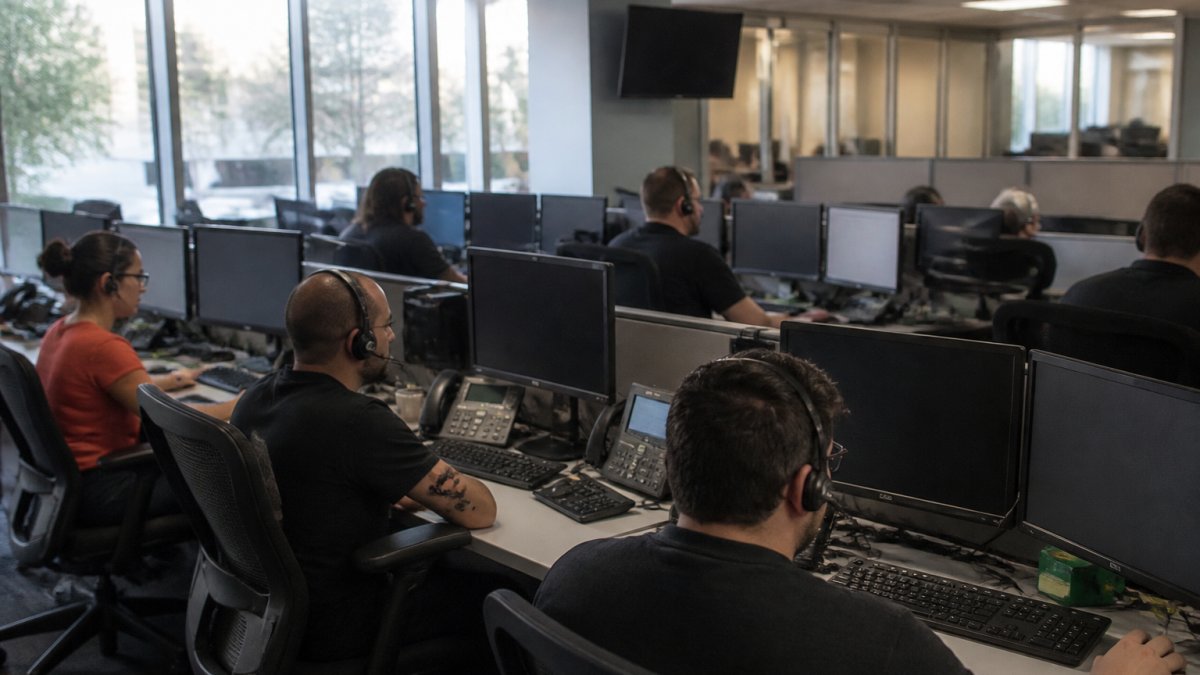
Once your system is live, you need to know when something breaks before your customers do. Observability means having visibility into what's happening inside your system at all times.
Key Metrics to Track
Track call-level metrics: call duration, call outcome (completed, transferred to human, abandoned), caller sentiment (extracted from audio or conversation), resolution success (did the agent solve the problem?). These tell you whether the system is actually helping your business.
Track system-level metrics: concurrent calls, latency at each stage, error rates per component, speech recognition confidence, intent classification confidence, TTS synthesis time. These tell you when the system is degrading.
Set thresholds for each metric. If average latency exceeds 1.5 seconds, something is wrong. If error rate exceeds 2%, investigate. If speech recognition confidence drops below 80%, route to a human. These thresholds catch problems early.
Setting Up Alerts and Dashboards
Create a dashboard showing the metrics that matter most: concurrent calls right now, average latency in the last hour, error rate in the last hour, calls transferred to humans in the last hour. Update it every 30 seconds. Your team should see degradation immediately.
Set up alerts that fire when thresholds are breached. When error rate exceeds 5%, send a Slack message. When 95th percentile latency exceeds 3 seconds, page an engineer. When speech recognition confidence drops below 70%, route all new calls to humans until the issue is resolved.
Log everything. Every call, every error, every latency spike. Store logs for at least 30 days. When something goes wrong, you need to replay what happened.
Integration, Resilience, and Failover Strategy
Your voice agent doesn't exist in isolation. It needs to integrate with your CRM, your telephony system, your business logic. And it needs to keep working when components fail.
Integrating with CRM and Telephony Systems
Your telephony system (Twilio, Vonage, your existing PBX) handles the actual call routing. When a call arrives, it sends audio to your voice agent. The agent needs to pull customer history from your CRM, update the CRM with call notes, and route the call to the right team if needed.
Design integrations as asynchronous API calls. When the agent needs customer history, it makes an API call to your CRM and waits for a response. If the CRM is slow or unavailable, the agent should have a fallback: answer without the customer history, or transfer to a human. Don't let one slow system block the entire call.
Use API timeouts. If the CRM doesn't respond in 2 seconds, consider it unavailable and proceed without that data. A call that completes with degraded functionality is better than a call that times out.
Building Graceful Degradation and Disaster Recovery
Graceful degradation means the system keeps working when components fail, just with reduced capability. If speech recognition fails, transfer to a human. If NLP fails, ask clarifying questions. If the CRM is unavailable, proceed without customer history.
Design for this from the start. What happens if speech recognition is down? What happens if the language model is slow? What happens if the database is unreachable? For each component, have a fallback.
Disaster recovery means being able to restore service quickly when something catastrophic happens. Run your system in multiple availability zones. If one data center goes down, traffic automatically routes to another. Replicate your data across regions. If your primary database is destroyed, you can restore from a replica.
Test your disaster recovery plan regularly. Once a quarter, actually fail over to your backup system and verify everything works. Don't find out during a real disaster that your backup doesn't work.
Cost Modeling and Unit Economics
Infrastructure costs scale with call volume. Understanding your unit economics, the cost per call, tells you whether the system is sustainable.
Speech recognition costs vary by vendor. Most charge per minute of audio processed. A 3-minute call costs 3 times as much as a 1-minute call. Text-to-speech costs similarly. Language models cost per token generated. A simple response might use 50 tokens; a complex one might use 500.
Calculate your average cost per call. If you process 1,000 calls per month and spend $1,000 on infrastructure, that's $1 per call. If each call generates $5 in value (shorter handle time, better customer experience, higher conversion), the system pays for itself 5 times over.
Factor in operational costs too. Who monitors the system? Who handles escalations? Who updates the dialogue flows when business logic changes? If you need a full-time engineer to run the system, that's $100,000+ per year. If you use a managed service, those costs are included in the service fee, and you don't need an engineer on staff.
The decision to build versus buy often comes down to unit economics. For a small business with 50 daily calls, building in-house probably doesn't make sense. For a large enterprise with 10,000 daily calls, the ROI on building might be there. Most SMBs are better served by a managed platform that handles the complexity.
Implementation Roadmap: From Planning to Production
Scaling isn't a one-time event. It's a series of phases where you build, test, learn, and improve.
Phase 1: Assessment and Baseline
Start by understanding your current state. How many calls do you handle today? What's your peak hour? What are the top 10 caller intents? How long do calls take? What percentage get transferred to humans?
Baseline your current costs. If you're using human agents today, what's your cost per call? What's your average handle time? What percentage of calls are resolved on the first contact?
Define your success metrics. What does success look like? Fewer calls transferred to humans? Shorter handle times? Lower cost per call? Higher customer satisfaction? Pick 2-3 metrics and commit to them.
Phase 2: Pilot and Validation
Build a voice agent for your top 3 caller intents. Test it with a small subset of incoming calls, maybe 10% of daily volume. Run it for 2 weeks. Measure whether it actually reduces calls transferred to humans or shortens handle time.
Collect feedback from customers and your team. Did customers find the agent helpful? Did it understand their requests? When did it fail? What intents did it miss?
Iterate based on feedback. Improve dialogue flows. Add missing intents. Improve speech recognition accuracy for industry-specific terms. Run another 2-week test.
Phase 3: Full-Scale Rollout
Once the pilot succeeds, expand to all caller intents. Route all incoming calls through the voice agent. Monitor carefully for the first week. Be ready to roll back if something goes wrong.
Gradually increase the percentage of calls handled by the agent. Start at 50%, then 75%, then 100%. This gives you time to catch problems before they affect all your customers.
Continuously monitor and improve. Track the metrics you defined in Phase 1. When you hit your targets, celebrate. When you miss them, investigate and iterate.
Scaling AI voice bot infrastructure isn't a one-time project, it's an ongoing operational discipline. The businesses that succeed at this are the ones that measure everything, optimize continuously, and plan for failure before it happens. If you're managing high call volumes and need infrastructure that actually scales, Uberwood Agency designs and operates custom AI voice systems that handle your specific call patterns, integrate seamlessly with your existing tools, and stay reliable as volume grows. We handle the technical complexity so you can focus on what matters: closing deals and serving customers. Get a Free Estimate Quote And Book A Call Today.
Frequently Asked Questions
How do you scale an AI voice bot to handle high call volumes?
Scaling requires three layers: horizontal scaling (adding more servers), load balancing (distributing calls across instances), and autoscaling (spinning up capacity during peak times). Start by calculating your peak concurrent calls, then add 30% buffer. Use cloud infrastructure that auto-provisions resources based on demand. Most home service companies handling 15-20 daily calls need minimal scaling initially, but should architect for 3-5x growth from day one to avoid rebuilding later.
What is the most common bottleneck when scaling AI voice agent infrastructure?
Speech-to-text processing and natural language processing latency are the primary bottlenecks. When concurrent calls spike, these services queue up, causing noticeable delays in the bot's responses. The second bottleneck is database queries during intent recognition and entity extraction. Optimize by caching common intents, using edge servers closer to your users, and pre-warming model instances during expected peak hours. Monitoring latency at each stage reveals where your specific system struggles.
How do you reduce latency in AI voice agents?
Latency optimization happens across four areas: reduce speech-to-text processing time by using streaming APIs instead of batch processing, cache frequently recognized intents and responses, deploy dialogue management closer to your callers using regional servers, and minimize database round-trips by pre-fetching customer data. Real-world impact: moving from 2-second response times to 400-600 milliseconds improves customer perception significantly. Test each optimization in isolation to measure actual gains.
What happens to an AI voice bot when traffic spikes unexpectedly?
Without proper infrastructure, unexpected traffic causes dropped calls, timeouts, and degraded responses. Graceful degradation lets the system route overflow calls to human agents or queue them with callbacks, rather than failing. Autoscaling provisions new instances within 30-60 seconds, but that's too slow for immediate spikes. Pre-scaling before known peak times (like mornings for home services) prevents this. Real-time monitoring alerts your team within seconds if call success rates drop, enabling manual intervention if needed.
How do you monitor AI voice bot performance in production?
Track four metric categories: call success rate (completed vs. dropped), latency (response time per turn), intent recognition accuracy, and human handoff rate. Set up dashboards showing real-time call counts, average handle time, and error rates. Alerts should trigger when success rate drops below 95%, latency exceeds 1.5 seconds, or handoff rate climbs above your baseline. Log every conversation for quality review and model retraining. Most issues surface within the first hour of a problem, so hourly reviews catch drift early.
Can AI voice bots integrate cleanly with existing CRM and telephony systems?
Yes, but integration complexity depends on your existing stack. Modern voice bots use APIs to sync call logs, customer data, and outcomes with HubSpot, Salesforce, or custom CRMs in real-time. Telephony integration (with providers like Twilio or Vonage) routes inbound calls to the bot and handles transfers to human agents. The key is ensuring your infrastructure supports bidirectional data flow without manual syncing. Fully managed solutions handle this end-to-end, eliminating the need for your team to maintain integrations.
What should I do if my AI voice bot starts misrouting calls or giving incorrect responses?
First, check your monitoring dashboards to identify when the problem started. Review conversation logs to find the pattern (specific call types, times, or customer data). This usually signals a model drift, data quality issue, or infrastructure problem. Immediate actions: revert to the last stable model version, route affected calls to humans temporarily, and investigate root cause. Prevention requires continuous model validation, A/B testing changes before production, and monitoring conversation data for quality degradation. Managed services handle this monitoring automatically.