
Table of Contents
- Why Reducing Lead Response Time Matters: Lead Response Time Statistics
- Step 1: Implement 24/7 Lead Capture Mechanisms
- Step 2: Deploy Sales Automation Tools for Instant Follow-Up
- Step 3: Optimize Lead Routing Best Practices
- Step 4: Use AI-Driven Lead Qualification and Personalized Outreach
- Step 5: Build Human-in-the-Loop Automation for Compliance
- DIY vs. SaaS: Cost-Benefit Analysis for Reducing Lead Response Time
- Common Mistakes That Slow Down Lead Response Time
Last Updated: July 15, 2026
Why Reducing Lead Response Time Matters: Lead Response Time Statistics
How to reduce lead response time is one of the most critical challenges facing home services, e-commerce, and growing businesses today. A prospect who receives a response within the first hour is dramatically more likely to book a call or purchase than one contacted after 24 hours. The difference between a 1-hour response and a 24-hour response can mean the gap between closing a deal and losing it to a competitor.
Most teams lack automation that captures leads instantly and routes them to the right person without human intervention. Below, we'll show you exactly how to reduce lead response time using seven proven automation strategies. These approaches have helped businesses cut their average response time from 48 hours to under 5 minutes, with conversion rate improvements of 30% or more as a direct result.
Step 1: Implement 24/7 Lead Capture Mechanisms
Your business doesn't stop at 5 PM, but your sales team does. Implementing 24/7 lead capture mechanisms ensures every inquiry triggers an immediate response, whether it's 2 AM on a Sunday or 2 PM on a Tuesday.
Online booking and scheduling automation
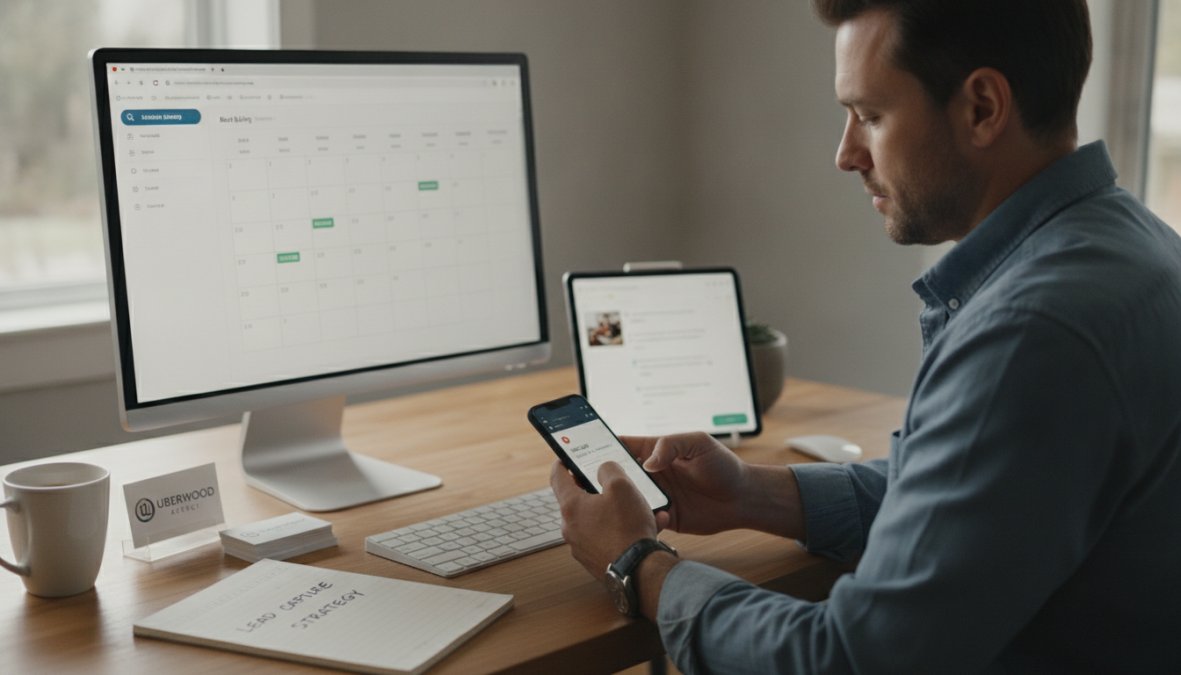
Online booking systems like Calendly, Acuity Scheduling, or Reserve with Google eliminate the back-and-forth email chains that waste hours. A prospect sees your available time slots, picks one, and the system syncs with your calendar instantly. Follow-up reminders go out automatically 24 hours before and 1 hour before the appointment.
Prospects who book themselves are already 40% more committed than those who request a callback. The booking system captures their contact information, service needs, and custom questions in one step. Integration with your CRM ensures leads appear in your sales pipeline automatically with no manual data entry.
Chatbot for lead generation and qualification
A chatbot running 24/7 on your website answers common questions and captures contact information from prospects not ready to book a call. The best chatbots use AI to qualify leads by asking targeted questions: "What service are you interested in?" "What's your timeline?" "Have you worked with us before?"
The chatbot collects this information and passes it to your team with context. Instead of your sales rep calling a cold lead with no background, they're calling someone who's already told the bot they need emergency service and can't wait more than 24 hours. For prospects who need to speak to a human, the chatbot routes them to the next available team member or schedules a callback for business hours.
Step 2: Deploy Sales Automation Tools for Instant Follow-Up
The moment a lead enters your system, your follow-up clock starts ticking. Sales automation tools like HubSpot, Pipedrive, or ServiceTitan trigger automated actions the second a prospect takes action, sending SMS messages, emails, and internal notifications without waiting for a human to write them.
Automated lead follow-up workflows
An automated lead follow-up workflow is a series of triggered messages that fire based on specific actions. When a prospect fills out a contact form, the workflow immediately sends them an SMS saying "Thanks for reaching out. A team member will call you within 1 hour." That message goes out in seconds.
The workflow can escalate based on response. If the prospect replies to the SMS, the system notifies your team in real time. If they don't reply within 30 minutes, a second message goes out offering a scheduling link. By the time a sales rep calls, the prospect has already received multiple touchpoints and self-qualified by responding or booking.
SMS and email automation integration
SMS is faster than email. Prospects check text messages within minutes; emails sit in inboxes for hours. The best lead response workflows use both strategically. An SMS goes out first with the most urgent message. An email follows up with more detailed information. A second SMS might offer a scheduling link if the prospect hasn't responded.
Integration with your CRM ensures every message is logged and your team sees the full conversation thread. Many businesses find that adding SMS to their follow-up process cuts response time in half.
Step 3: Optimize Lead Routing Best Practices
Even with instant follow-up, a lead routed to the wrong person wastes time. Lead routing best practices ensure each prospect reaches the team member most likely to close them based on their specific needs, location, or service type.
CRM integration and real-time lead assignment
A CRM with intelligent lead routing looks at the incoming prospect's information and automatically assigns them to the right salesperson. If a prospect in a specific zip code books a consultation, the system routes them to the rep who covers that area. If they need emergency service, the system routes them to whoever is available right now.
Real-time assignment means no bottlenecks. The routing logic should also account for rep capacity. If your top closer is already handling 15 active deals, the system routes new leads to the second-best performer who has bandwidth, preventing your best rep from becoming a bottleneck.
| Routing Factor | How It Works | Impact on Response Time |
|---|---|---|
| Geographic territory | Routes to rep covering prospect's zip code | Eliminates location-based delays |
| Service type | Routes to specialist in requested service | Reduces explanation time on calls |
| Rep availability | Routes to whoever is free right now | Instant assignment, no queuing |
| Rep capacity | Routes to rep with fewest active deals | Prevents bottlenecks, faster follow-up |
| Skill level | Routes to rep with highest close rate for that service | Better conversations, faster closes |
Step 4: Use AI-Driven Lead Qualification and Personalized Outreach
Not all leads are created equal. AI-driven lead qualification scores each prospect automatically based on their behavior, and personalized outreach tailors the message to their specific situation.
AI agents can analyze a prospect's website behavior, form responses, email engagement, and past interactions to predict buying intent. Did they spend 10 minutes on your pricing page? That's high intent. The AI assigns a score, and your team prioritizes accordingly.
Lead nurturing through personalized messaging takes this further. Instead of sending the same email to everyone, the system sends different messages based on what each prospect cares about. A prospect interested in emergency service gets a message about 24/7 availability. A prospect researching long-term contracts gets a message about pricing and service guarantees.
Personalization increases response rates significantly. A message that says "I saw you were interested in our commercial cleaning services and checked our pricing page, here's a custom quote based on your building size" gets a response. A generic "Thanks for your interest" does not.
Step 5: Build Human-in-the-Loop Automation for Compliance
Automation is powerful, but it can't replace human judgment in every situation. A human-in-the-loop approach means automation handles routine tasks, but sensitive decisions require a person to review and approve.
Balancing automation with human oversight
Some follow-up messages can be fully automated. An SMS confirming a booking needs no human approval. But a message promising a specific service or price should be reviewed by a human first. The best systems automate 80% of routine follow-up and flag the remaining 20% for human review.
Your team sets rules: "Auto-send SMS confirmations, but require approval for any email that mentions a discount." This balance prevents automation from making promises your team can't keep while preventing your team from being overwhelmed by reviewing every single automated action.
Privacy and compliance in automated outreach
Automated outreach must comply with regulations like TCPA (Telephone Consumer Protection Act), GDPR, and CAN-SPAM. SMS messages can only go to prospects who opted in. Email campaigns must include an unsubscribe link. Phone calls to cell phones require written consent. If a prospect requests to opt out, your system must remove them immediately from all future campaigns.
The fix is a single source of truth for consent. Your CRM should track exactly what each prospect has consented to receive: SMS, email, phone calls, or none. Every automated message should check this consent status before sending. According to FTC guidance on telemarketing and SMS compliance, businesses must maintain a do-not-call list and honor opt-out requests within 30 days.
DIY vs. SaaS: Cost-Benefit Analysis for Reducing Lead Response Time
Building your own automation stack with tools like Zapier or Make is cheaper upfront than buying a dedicated SaaS platform like ServiceTitan or HubSpot. But cheaper doesn't always mean better.
Building workflows with Zapier and Make
Zapier and Make are workflow automation platforms that connect your existing tools without custom code. You can build a workflow that says: "When someone fills out a form, create a contact in your CRM, send them an SMS, and post a message to Slack."
The appeal is obvious: low cost and flexibility. The limitations become clear as your business grows. Zapier charges per task. If you're sending 10,000 SMS messages per month, that's a significant cost. DIY workflows also become fragile when tools update their APIs, and maintaining them requires technical knowledge.
When to invest in dedicated SaaS platforms
Dedicated SaaS platforms like ServiceTitan, HubSpot, or Pipedrive cost $100-300 per user per month but are built specifically for sales automation. They handle complexity that would require dozens of Zapier workflows to replicate, including sophisticated lead scoring, multi-touch attribution, predictive analytics, and compliance automation.
The real cost-benefit comes down to scale and complexity. If you're a 5-person team with simple needs, Zapier is probably fine. If you're a 50-person team with 1,000 leads per month and different sales processes for different service types, a dedicated platform saves more time and money than it costs.
| Factor | DIY with Zapier/Make | Dedicated SaaS Platform |
|---|---|---|
| Monthly cost | $50-200 | $300-2,000+ |
| Setup time | 2-4 weeks | 4-8 weeks |
| Technical skill required | Medium | Low |
| Scalability | Limited | High |
| Compliance automation | Manual | Built-in |
Common Mistakes That Slow Down Lead Response Time
Even with the best tools, most businesses make mistakes that sabotage their response time.
Automating without testing. A prospect never receives a confirmation email because the integration broke. A lead never gets routed to the right person because the routing logic has a bug. Test every workflow with real data before launching it.
Using the same message for everyone. Generic follow-up messages get ignored. Personalize based on what you know about each prospect. A prospect who spent 30 minutes researching your most expensive service doesn't want the same "thanks for your interest" message as someone who just looked at your homepage.
Forgetting about the human handoff. Automation is great until a prospect needs to talk to a real person. If your automation route leads to a dead end with no way to reach a human, no scheduling link, and no phone number, the prospect gives up. Always include a clear path to human contact.
Ignoring mobile users. Many prospects first interact with your business on their phone. If your booking system doesn't work on mobile or your email confirmation doesn't render properly on a phone screen, you've lost them.
Not tracking what works. Which strategies actually move the needle? Are SMS messages getting faster responses than emails? Track everything. Measure response times, conversion rates, and customer acquisition cost for each channel. Double down on what works, kill what doesn't.
Letting automation get stale. Your follow-up workflow was perfect six months ago. But your business has changed. Review your workflows quarterly and update them based on what you've learned.
Reducing lead response time is the difference between closing deals and losing them to faster competitors. The seven strategies covered here work together to create a response system that operates at machine speed without losing the human touch that closes deals. At Uberwood Agency, we specialize in designing, engineering, and operating custom AI systems that automate these exact workflows end-to-end. Rather than juggling multiple tools and managing integrations yourself, we handle the technical heavy lifting so you can focus on closing deals. Get a free estimate quote and book a call today to see how we can simplify your lead response process with a fully managed automation stack built specifically for your business.
Frequently Asked Questions
What is a good lead response time for home services?
Industry best practices suggest responding to leads within 5 minutes for maximum conversion rates. The longer you wait to reduce lead response time, the lower your chances of engagement. Home service businesses that respond within the first hour still see significantly better conversion rates than those waiting 24+ hours. Real-time response through automation is now the competitive standard.
How can chatbots help reduce lead response time?
A chatbot for lead generation provides instant responses 24/7, capturing initial information before your team wakes up or becomes available. AI-powered chatbots qualify leads automatically, route high-priority prospects to sales immediately, and nurture lower-priority leads through automated sequences. This eliminates hours of manual response delay and ensures no lead falls through the cracks.
What sales automation tools are best for reducing response delays?
Leading sales automation tools integrate with your CRM to trigger instant follow-up workflows, emails, SMS, and calls, the moment a lead arrives. Platforms like ServiceTitan and Housecall Pro offer native field service automation. For DIY stacks, Zapier and Make connect your lead source to email, SMS, and calendar tools instantly. The best tool depends on your budget, technical skill, and integration needs.
How do lead routing best practices improve response time?
Intelligent lead routing automatically assigns incoming leads to the right salesperson based on geography, availability, or expertise, eliminating manual assignment delays. CRM integration enables real-time routing so leads are in your team's hands within seconds. Rules-based routing ensures high-value leads reach senior reps first, improving both speed and conversion quality.
This article was written using GrandRanker