
Table of Contents
- Why Service Businesses Need AI Automation Tools Now
- Quick Comparison: Features and Pricing
- Automate Business Processes With These Five Tools
- AI Customer Service Automation Examples That Drive Results
- How to Implement AI in Service Businesses: A Practical Roadmap
- Which Tool Should You Choose?
- Conclusion
Last Updated: August 24, 2026
Why Service Businesses Need AI Automation Tools Now
Service businesses waste hours on customer communication, scheduling, and lead follow-up that could go toward closing deals. According to Gartner's 2026 customer service analysis, only one-quarter of AI implementations in customer service produce ROI, yet three-quarters of leaders plan to increase AI investment anyway. This gap reveals a critical truth: most service businesses implement AI without clear strategy or proper workflow fit.
Strategic AI automation delivers measurable results. Research from AI Automation ROI data covering 50+ small business implementations shows small businesses deploying AI automation achieve a median first-year ROI of 340%, with a 4.2-month payback period and 12 hours of staff time recovered per week.
At Uberwood Agency, we've worked with home service companies, e-commerce teams, and professional service firms. The winners use the right tools to automate customer intake, lead qualification, appointment scheduling, and follow-up communication, not necessarily the ones with the biggest budgets.

The cost barrier has collapsed. Adoption is accelerating: 58% of small businesses now use generative AI, up from 40% in 2024. The question isn't whether to implement AI automation anymore, it's which tools fit your operation.
Quick Comparison: Features and Pricing
| Tool | Free Tier | Starting Price | Best For | Key Differentiator |
|---|---|---|---|---|
| Uberwood Agency | No | Custom quote | Done-for-you AI systems | Fully managed, end-to-end custom builds |
| Zapier | Yes (limited) | $19.99/mo | Multi-app workflow automation | 9,000+ app integrations |
| Make | Yes (generous) | $9/mo | Complex visual workflows | Advanced logic and routers |
| ManyChat | Yes (limited) | $14/mo | Social media automation | Instagram, Facebook, WhatsApp DM automation |
| ActiveCampaign | No | $15/mo | Marketing automation + CRM | Deep visual automation and sales workflows |
Automate Business Processes With These Five Tools
1. Uberwood Agency: Fully Managed Custom AI Systems
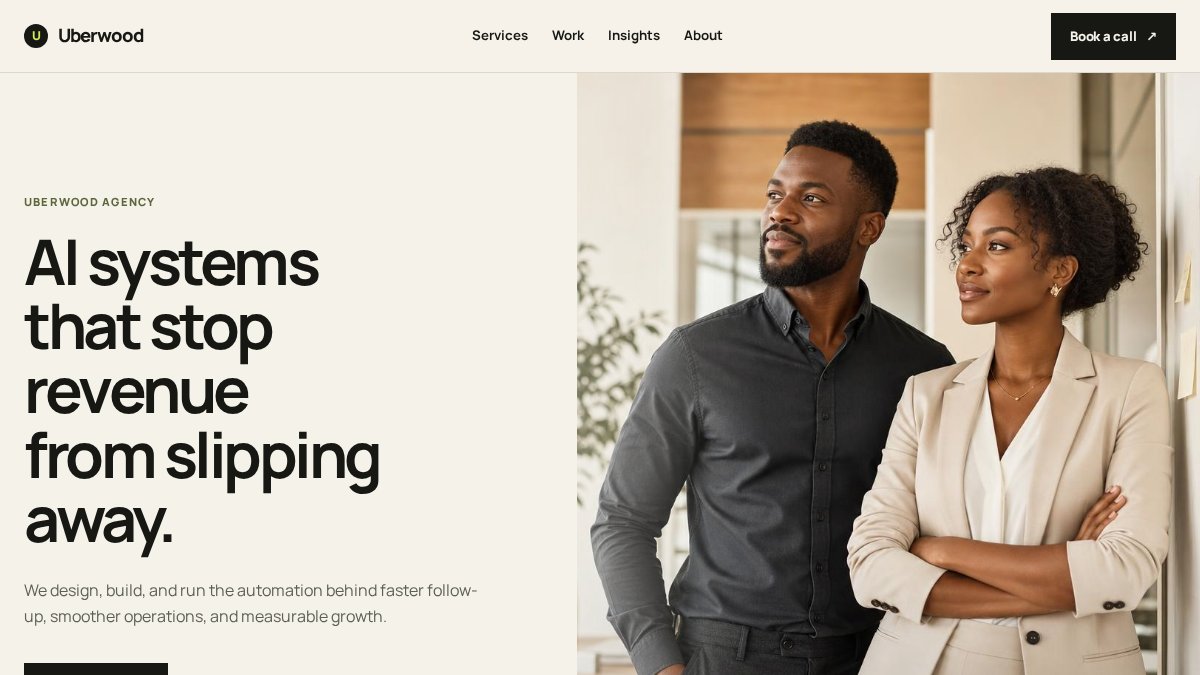
Uberwood Agency handles the entire technical engineering for you. Instead of learning a new platform and managing integrations, you describe your workflow and Uberwood builds, deploys, and operates the AI system end-to-end.
This matters because custom AI systems, voice agents handling calls, chatbots qualifying leads, automated email sequences, require integration with your CRM, scheduling software, invoicing system, and customer database. Off-the-shelf tools force you into their workflow. Uberwood integrates into yours.
The approach is fully managed. If something breaks, support doesn't disappear. If workflows need adjustment, you don't wait for product updates. The Uberwood team handles optimization and troubleshooting.
Pros:
- Done-for-you AI services eliminate internal technical expertise requirements
- Fully managed systems with ongoing support and optimization
- Custom AI builds tailored to your specific business needs
- All services under one roof
Cons:
- Pricing requires consultation for accurate quotes
- Longer implementation timeline than self-service tools
- Best for businesses with clear automation goals and moderate to high call volume
2. Zapier: Multi-App Workflow Automation
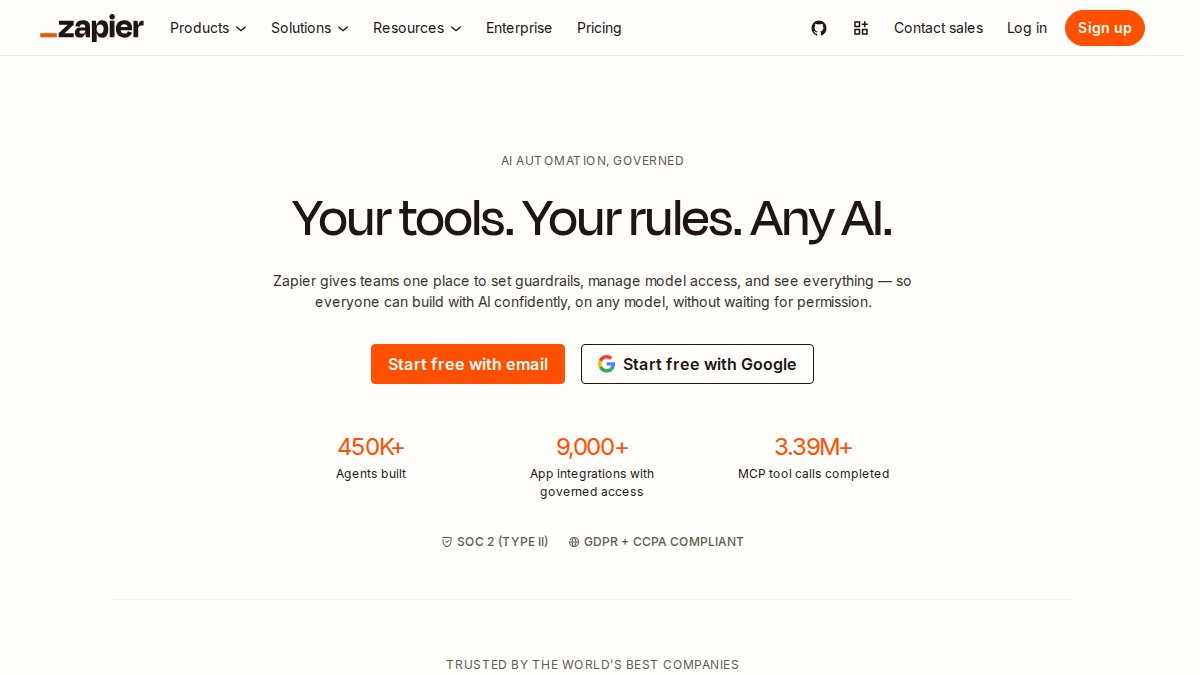
Zapier connects your existing apps, CRM, email, payment processors, scheduling tools, spreadsheets, into automated workflows called Zaps. When a customer fills out a form, Zapier can trigger an email, create a CRM record, add them to a sequence, and log the action in a spreadsheet, all without manual intervention.
With integrations to over 9,000 apps, Zapier handles most business tool combinations. For service businesses, this means connecting lead capture forms directly to your CRM, scheduling software, and email marketing platform. Multi-step Zaps allow conditional logic: if a lead comes from a specific source, route them to one sales rep; if they're a repeat customer, trigger a different nurture sequence.
Zapier's AI capabilities, available on all paid plans, now include natural-language workflow building and AI agents for complex automation.
Pros:
- Extensive integration library covers nearly every business tool
- User-friendly interface for building automations without code
- AI features included on all paid plans
- Scalable for growing automation complexity
Cons:
- Task-based pricing escalates with high-volume, multi-step workflows
- Free plan limited to two-step Zaps and 100 monthly tasks
- Expensive for businesses running hundreds of daily automations
3. Make: Visual Automation for Complex Workflows
Make's strength is flexibility. The visual drag-and-drop builder shows your entire workflow on screen, routers, filters, conditional branches, and data transformations visible at once. This clarity matters when building complex logic: "If the lead came from Google Ads AND they're in the service area AND we have availability, route to Sales; otherwise, add to nurture sequence."
The platform connects over 3,000 apps and supports custom code (JavaScript or Python) for scenarios where pre-built connectors don't exist. Make's credit-based pricing means you pay for what you use. A simple two-step workflow costs far less than a complex 15-step automation.
For service businesses, Make excels at multi-branch workflows where customer routing depends on multiple conditions: service type, location, availability, customer history, and lead source.
Pros:
- Visual workflow builder provides clarity on complex automation logic
- Generous free plan suitable for testing
- Credit-based pricing rewards optimization
- Advanced features like routers and custom code
Cons:
- Credit-based pricing requires optimization; poorly designed workflows become expensive
- Free plan limited to 1,000 operations and 10 scenario runs per month
- Steeper learning curve for advanced features
4. ManyChat: Social Media and Messaging Automation
ManyChat automates customer communication across Instagram DMs, Facebook Messenger, TikTok, WhatsApp, Telegram, SMS, and email. For service businesses using social media as a lead source, ManyChat captures and qualifies leads automatically through direct messages. legal workflow automation.
The flow builder creates branching conversations: ask qualifying questions, collect contact information, and route leads based on responses. ManyChat syncs with Google Sheets and integrates with major CRMs, so captured leads flow into your existing system automatically.
AI-powered conversations (included in Pro plans and higher) enable more natural, context-aware responses instead of rigid scripted replies.
Pros:
- Strong social media DM automation across multiple platforms
- Free plan available for basic automation
- Includes CRM, commerce, email, and SMS integrations
- Visual flow builder accessible to non-technical users
Cons:
- AI features may require higher-tier plans
- Contact-based pricing scales with audience size
- Free plan significantly reduced; limited contact capacity
5. ActiveCampaign: Marketing Automation and CRM
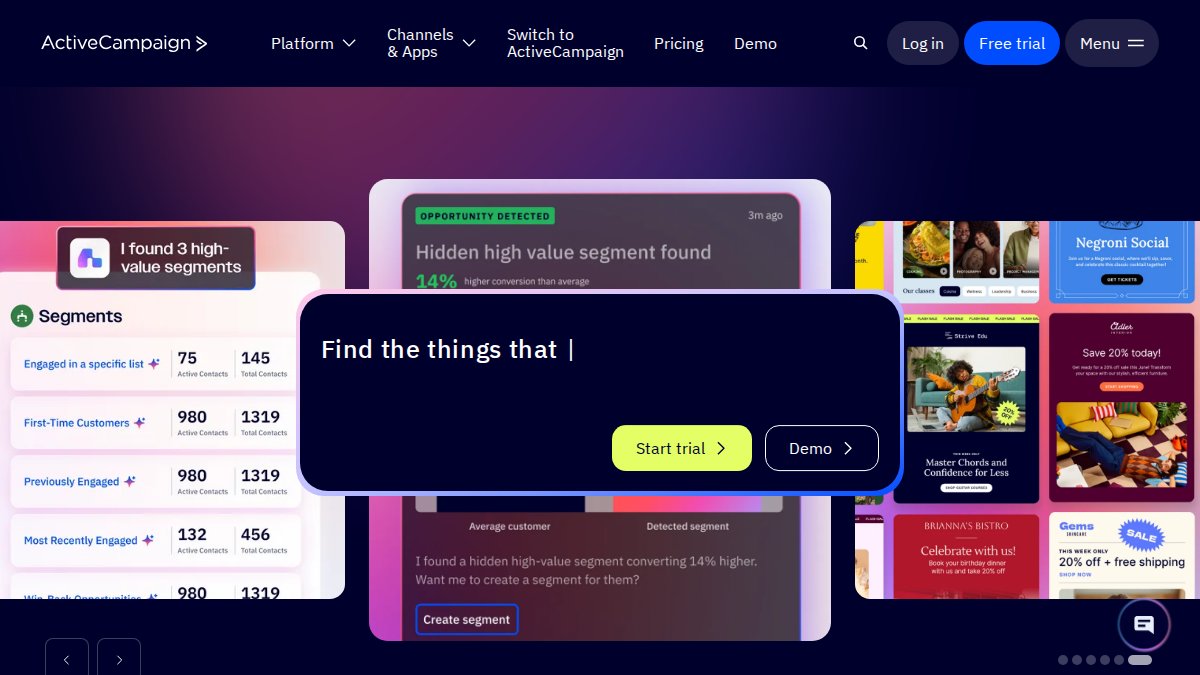
ActiveCampaign combines email marketing, CRM, and sales automation into a single platform. The visual automation builder handles multi-step sequences: welcome emails, behavioral triggers, lead scoring, and sales handoffs. Site tracking reveals which prospects are actively engaged, letting you prioritize follow-up.
For service businesses with longer sales cycles, ActiveCampaign's deep automation and CRM integration creates a connected system. A prospect fills out a form, enters a nurture sequence, gets scored based on engagement, and automatically routes to sales when ready.
The platform's generative AI assists with email copy, subject lines, and advanced segmentation.
Pros:
- Powerful visual automation builder handles complex sales and marketing workflows
- Comprehensive CRM features for managing customer interactions
- Cross-channel marketing through email, SMS, and site messages
- Generative AI for content creation and segmentation
Cons:
- No permanent free plan; only a 14-day free trial
- Contact-based pricing includes unsubscribed and bounced contacts for new users
- Advanced automation and CRM features require higher-tier plans
AI Customer Service Automation Examples That Drive Results
Real-world results demonstrate where automation delivers measurable ROI. American Express implemented an AI-powered chatbot to automate customer service interactions, achieving a 25% reduction in customer service costs and a 10% increase in customer satisfaction through 24/7 availability.
Rachio, an irrigation technology company, deployed AI agents to automate customer support for over one million users during seasonal surges, achieving 95-99.8% response accuracy and enabling a single customer service leader to manage support across chat, voice, and email with a 30% cost reduction.
Brinks Home used AI tools to optimize service call scheduling and improve cross-sell recommendations. The outcome: average direct-to-consumer package size increased from $489 to $968 over two years, driving 9.5% overall revenue growth.
How to Implement AI in Service Businesses: A Practical Roadmap
Implementation roadmaps separate businesses that see results from those that deploy tools and see no change.
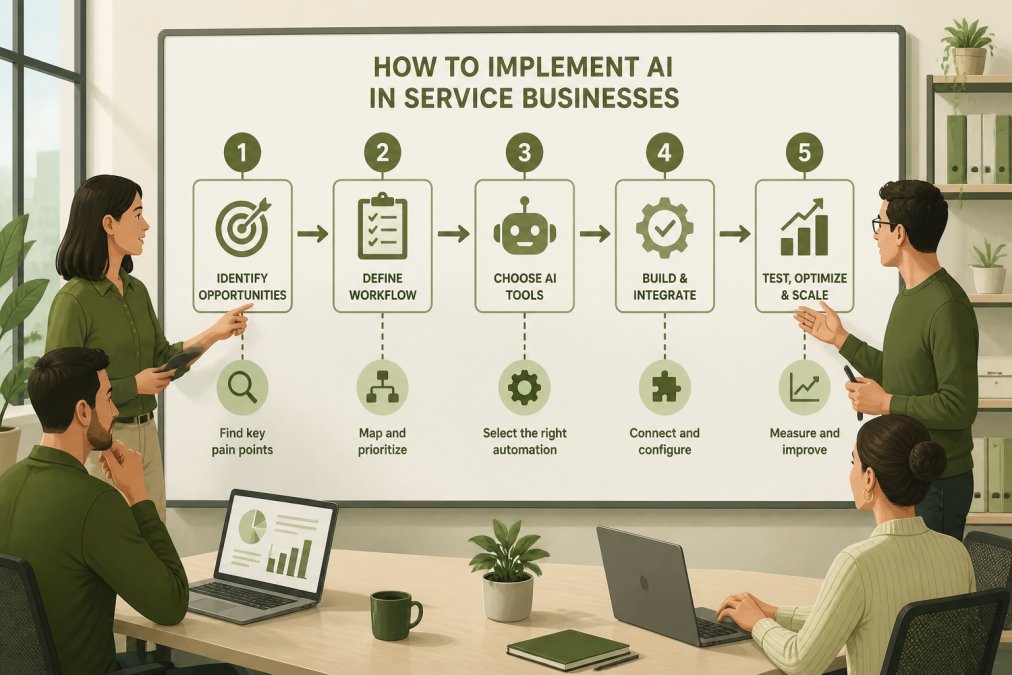
Step 1: Map Your Current Workflow (Week 1)
Document the exact process a customer goes through from first contact to close. Incoming call → voicemail or live answer → lead qualification → CRM entry → follow-up email → scheduling → service delivery. Write down how long each step takes, who handles it, and where bottlenecks occur.
Most service businesses waste 3-5 hours per day on repeatable steps: answering the same questions, entering data into multiple systems, scheduling appointments, sending follow-up emails.
Step 2: Identify High-Impact Automation Opportunities (Week 1-2)
Prioritize by impact: which automated task saves the most time or captures the most leads? For a plumbing company, automating incoming call routing and initial intake saves 2-3 hours daily. For e-commerce, automating abandoned cart emails drives immediate revenue recovery. For professional services, automating appointment scheduling removes administrative friction.
Start with one clear win, not five mediocre automations.
Step 3: Choose Your Tool Stack (Week 2-3)
Your choice depends on technical comfort and scope. If you want done-for-you implementation, Uberwood Agency handles the full build. If you have an existing tool stack, Zapier or Make connects them. If you're focused on social media lead capture, ManyChat is your tool. If you need deep CRM and marketing automation, ActiveCampaign.
Most service businesses start with one tool. Choose based on your primary automation need.
Step 4: Build and Test (Week 3-4)
Start small. Build the automation in a test environment. Send test leads through the workflow. Verify data flows correctly into your CRM. Check that emails send to the right addresses and appointments populate in your calendar.
Test with 10-20 real customer scenarios before going live.
Step 5: Deploy and Monitor (Week 4+)
Launch the automation to real customer traffic. Monitor daily for the first week: Are leads being captured? Is data flowing correctly? Are follow-up sequences triggering?
Set up simple reporting: how many leads captured, how many qualified, conversion rate. Compare this to your pre-automation baseline.
Step 6: Iterate and Expand (Month 2+)
Once your first automation proves ROI, expand to the next bottleneck. Build on your success systematically rather than trying to automate everything at once.
Which Tool Should You Choose?
Choose Uberwood Agency if: You want fully managed, end-to-end AI systems built specifically for your workflows. You're handling significant call volume or complex multi-channel automation. You want custom voice agents and chatbots that work exactly like your business operates.
Choose Zapier if: You have an existing tool stack and need reliable integrations. You want broad compatibility with thousands of apps. You're comfortable with self-service setup.
Choose Make if: You're building complex, multi-branch workflows with conditional logic. You want visual clarity on automation flows. You value flexible, credit-based pricing.
Choose ManyChat if: Your leads come primarily from Instagram, Facebook, WhatsApp, or TikTok. You want to automate social media DM responses and lead qualification.
Choose ActiveCampaign if: You need deep marketing automation and CRM integration. Your sales cycle is longer and requires nurture sequences. You want generative AI assistance with email copy.
Most service businesses benefit from combining tools. Start with one that addresses your biggest pain point. Once that automation proves ROI, add a second tool to handle the next workflow.
Service businesses that master AI automation don't replace their teams, they amplify them. A plumbing company that automates call intake and appointment scheduling lets its office manager focus on customer relationship management and upselling. An e-commerce store that automates abandoned cart emails and customer inquiry responses frees marketing to focus on strategy.
The ROI is clear: 340% median first-year return on small business AI automation implementations. The tools are affordable, starting at $9-20 per month for self-service platforms, or custom pricing for fully managed services. 82% of small business owners either use or plan to use AI to improve efficiency and reduce costs.
Start with Uberwood Agency if you want the technical engineering handled for you, or choose one of the self-service platforms above if you're ready to build. Get a free estimate quote and book a call today to discuss which approach fits your business.
Frequently Asked Questions
Q: What's the actual ROI of AI automation tools for small service businesses?
A: The median first-year ROI across 50+ small business AI automation builds is 340%, with a 4.2-month payback period and 12 hours of staff time recovered per week. However, ROI varies by tool and implementation. Customer-facing AI tools like support agents and lead nurturing deliver the fastest returns. A generative AI study from Stanford and MIT found it lifts customer support productivity by approximately 14% per hour, which translates directly to cost savings and faster response times.
Q: Do I need a developer to implement AI automation tools?
A: No. Most affordable AI automation tools like Zapier, Make, and ManyChat use no-code or low-code interfaces designed for non-technical users. Platforms like Uberwood Agency take it further by handling the entire engineering and implementation for you, so you don't need internal technical expertise. However, more complex custom integrations may benefit from technical support or a managed service provider.
Q: How do I choose the right AI automation tool for my service business?
A: Start by identifying your biggest operational pain point: customer communication, lead routing, scheduling, or email follow-up. Then match it to a tool's strength. For social media and messaging automation, choose ManyChat. For broad workflow integration across many apps, use Zapier or Make. For marketing automation and CRM, pick ActiveCampaign. For fully managed, custom-built solutions, consider Uberwood Agency. Compare pricing models, some charge per contact, others per user or by usage, to find what fits your scale.
Q: Can AI automation tools integrate with tools I already use?
A: Yes. Zapier connects to over 9,000 apps, and Make integrates with 3,000+. ActiveCampaign works with popular CRM and email platforms. ManyChat integrates with Meta channels and e-commerce platforms. Uberwood Agency specializes in seamless custom integrations with your existing systems, a key advantage if you already use HubSpot, accounting software, or other business tools. Check each platform's integration library before committing.
Q: What's the cost difference between DIY AI tools and fully managed services?
A: DIY tools like Zapier ($19.99/month), Make ($9/month), and ManyChat ($14/month) have lower upfront costs but require your time to set up and maintain. Fully managed services like Uberwood Agency cost more but eliminate setup complexity, ongoing monitoring, and troubleshooting. Managed services typically cost more but recover that cost through reduced staff time and faster implementation.