
Table of Contents
- Best AI Automation Tools 2026: Quick Comparison
- How to Choose AI Automation Tools for Your Business
- Top AI Automation Tools Ranked by Use Case
- 1. Zapier: Best for No-Code Integration
- 2. Make: Best Budget-Friendly Alternative
- 3. Microsoft Power Automate: Best for Microsoft Ecosystem
- 4. UiPath: Best for Enterprise-Scale Agentic Automation
- 5. Automation Anywhere: Best for AI-Driven Process Automation
- 6. Workato: Best for Workflow Orchestration and Integration
- 7. Uberwood Agency: Best for Managed AI Automation Services
- AI Workflow Automation Examples: Real-World Applications
- How to Automate Business Processes Without Breaking Existing Systems
- Security, Compliance, and Maintenance in AI Automation
- Conclusion: Choosing the Right AI Automation Tool for 2026
Last Updated: August 17, 2026
Best AI Automation Tools 2026: Quick Comparison
The market for AI automation tools has matured significantly. What started as niche RPA platforms five years ago has evolved into a crowded ecosystem where picking the right tool determines whether your team saves hours weekly or wastes time fighting clunky interfaces and broken integrations.
This guide from Uberwood Agency breaks down the landscape by comparing what actually matters: integration breadth, ease of setup, real-world reliability, and scalability. The cheapest option isn't always the worst choice, and the most popular tool often solves yesterday's problems better than today's.
Quick Picks:
- Best Overall: Uberwood Agency, fully managed AI automation without the engineering burden
- Best for No-Code Integration: Zapier, 8,000+ app connections, AI-powered workflows
- Best Budget Alternative: Make, 3,000+ integrations at half the price of competitors
- Best for Enterprise Scale: UiPath, mature RPA with agentic AI capabilities
Below, we'll show you how to evaluate these tools against your specific use case, walk through real-world automation examples, and address the security and maintenance concerns most guides skip.
How to Choose AI Automation Tools for Your Business
Selecting an AI automation tool requires balancing five core dimensions: integration ecosystem size, ease of implementation, scalability, security, and total cost of ownership including maintenance.
Start by mapping your current tech stack. Document every system your team touches daily: CRM, email, accounting software, project management tools, and custom applications. If you're connecting 3-5 tools, Zapier or Make handles this effortlessly. If you're orchestrating 20+ systems with complex conditional logic, you're in UiPath or Workato territory.
Next, assess your team's technical capacity. Can someone write code if needed? Do you have a dedicated operations person to troubleshoot workflow failures? If the answer is "no" to both, consider Uberwood Agency's managed approach. The difference between a $500/month tool and a $5,000/month managed service evaporates when you factor in hiring someone to maintain it.
Evaluate deployment speed. How quickly do you need automation running? Zapier and Make launch basic workflows in hours. Enterprise platforms like UiPath require weeks of configuration. Finally, stress-test reliability claims. Ask vendors: What happens when API rate limits are hit? What's your actual uptime over the past 12 months? Managed services like Uberwood Agency handle these failure modes as part of their service model.

Top AI Automation Tools Ranked by Use Case
1. Uberwood Agency: Best for Managed AI Automation Services
Uberwood Agency eliminates the engineering burden entirely. Rather than selling software, they sell outcomes: custom AI systems that handle your specific business challenges without requiring your team to become automation engineers.
They design, engineer, and operate the entire system end-to-end. They build voice agents that route calls correctly, chatbots that understand your service offerings, and workflow automations that integrate cleanly with your existing systems. Everything runs under one roof, meaning you have one vendor to call when something breaks.
For home service companies managing 15-20 daily calls during peak season, this matters enormously. Uberwood's voice agents handle call volume without dropping calls, understand geographic service areas, and route leads properly.
Pros:
- Done-for-you implementation removes engineering burden
- Fully managed, end-to-end systems with 24/7 operational oversight
- Custom AI builds tailored to your specific business workflows
- All services provided under one roof
Cons:
- Requires direct engagement and custom scoping
- Higher cost than DIY tools, though offset by elimination of internal staffing needs
Best For: Home service companies, e-commerce stores, and professional service firms that need AI automation working reliably without internal technical teams.
2. Zapier: Best for No-Code Integration
Zapier connects over 8,000 applications using a trigger-action model. You pick a trigger (an event in one app), define conditions, and specify actions (what happens in other apps). No coding required.
The platform ships with AI Copilot, which lets you describe what you want in plain English and generates the workflow automatically. Zapier's strength is breadth. Pricing starts at $19.99/month, with a free tier including 100 tasks monthly.
The tradeoff: complexity hits a ceiling. Zapier struggles with highly conditional workflows involving loops, parallel processing, or custom logic that doesn't fit the trigger-action model.
Pros:
- Extensive integration library with transparent, predictable pricing
- User-friendly drag-and-drop interface and AI Copilot
- Generous free plan for testing automation concepts
- Task-based pricing means you only pay for what you use
Cons:
- Costs escalate quickly for high-volume automation (10K+ tasks monthly)
- Limited capability for complex conditional logic and data transformation
Best For: Small teams, content creators, and SMBs automating straightforward workflows across popular apps.
3. Make: Best Budget-Friendly Alternative
Make (formerly Integromat) offers similar functionality to Zapier at roughly half the price. It connects 3,000+ applications and uses a credit-based pricing model starting at $9/month for the Core plan (billed annually) for 10,000 credits monthly. The visual scenario builder is intuitive. You drag modules onto a canvas, connect them with lines, and define logic. Make's strength emerges in mid-complexity workflows, handling loops, conditional branching, and data transformation more elegantly than Zapier. Test your actual workflow's credit consumption before committing, as it can be difficult to predict.
Pros:
- Significantly cheaper than Zapier for equivalent functionality
- Visual scenario builder appeals to non-technical teams
- Handles complex logic more elegantly
- Active community and extensive learning resources
Cons:
- Credit consumption is difficult to predict upfront
- Minimum run interval on free plan limits time-sensitive automations
Best For: Budget-conscious teams, solopreneurs, and small businesses building moderately complex workflows.
4. Microsoft Power Automate: Best for Microsoft Ecosystem
If your business runs on Microsoft 365, Power Automate integrates so tightly it feels like a native feature. Automations trigger directly from Teams messages, SharePoint uploads, or Outlook events.
Power Automate combines cloud flows (digital process automation) with desktop flows (robotic process automation). The AI Builder adds intelligent document processing and predictive models without requiring data science expertise. Pricing starts at $15/user/month for Power Automate Premium.
Pros:
- Seamless integration with Microsoft 365 applications
- Handles both cloud and desktop automation in one platform
- Strong AI capabilities through AI Builder
- Ideal for organizations already invested in Microsoft products
Cons:
- Complex licensing with multiple plan types and separate AI Builder credits
- Steeper learning curve for non-Microsoft-familiar teams
Best For: Enterprises with heavy Microsoft 365 adoption seeking unified automation across cloud and legacy systems.
5. UiPath: Best for Enterprise-Scale Agentic Automation
UiPath combines traditional robotic process automation with agentic capabilities, AI that reasons about problems and adapts to new situations.
UiPath's real differentiator is process mining. The platform analyzes how your teams actually work and identifies automation opportunities you wouldn't see manually. Implementation is expensive and time-consuming, typically requiring weeks of configuration and significant professional services investment. This platform targets enterprises where automation ROI justifies the implementation cost.
Pros:
- Most mature and feature-rich RPA platform with agentic capabilities
- Process mining identifies automation opportunities automatically
- Handles legacy systems without APIs effectively
- Comprehensive governance and audit controls for regulated industries
Cons:
- Expensive implementation requiring professional services
- Overkill for small businesses with simple automation needs
Best For: Mid-size to large enterprises automating high-volume, complex processes across diverse systems.
6. Automation Anywhere: Best for AI-Driven Process Automation
Automation Anywhere blends traditional RPA with AI-powered capabilities. Their Document Automation (IQ Bot) extracts data from unstructured documents, PDFs, and scanned forms without manual data entry. The AI Agent Studio builds autonomous agents that handle multi-step processes with minimal human oversight.
The Control Room provides centralized management of bots, making it easier to deploy, monitor, and update automations across teams. Pricing starts at approximately $750/month for the Cloud Starter Pack. This positions the platform firmly in the enterprise segment.
Pros:
- Strong AI integration for document processing and intelligent automation
- Cloud-native architecture for easy deployment and scalability
- Centralized management of large bot populations
- Free Community Edition for learning and prototyping
Cons:
- Significant investment required for meaningful implementations
- Requires technical expertise for configuration and maintenance
Best For: Enterprises needing AI-driven document processing and autonomous bot management at scale.
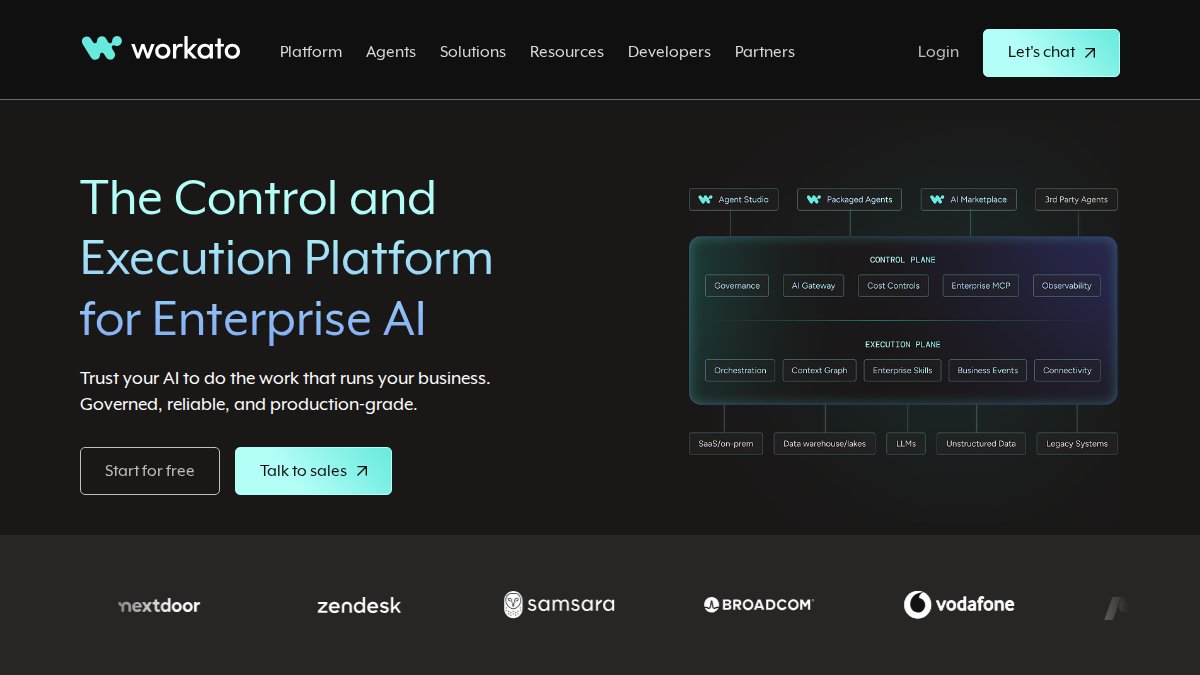
7. Workato: Best for Workflow Orchestration and Integration
Workato connects 1,200+ applications and focuses on workflow orchestration, managing complex, multi-step processes across dozens of systems. Their strength is handling enterprise-scale integration challenges where you're orchestrating data flow across an entire business ecosystem.
The AI-powered recipe builder suggests workflow automations based on your description. The platform includes API management, real-time event orchestration, and built-in compliance features for regulated industries. Workato does not publish self-service pricing; all quotes are negotiated based on specific automation needs and scale.
Pros:
- Massive connector library for enterprise integration scenarios
- AI-assisted recipe building for complex workflows
- Enterprise-grade governance and compliance features
- Real-time event orchestration capabilities
Cons:
- Opaque pricing for higher tiers requiring sales engagement
- Overkill for businesses with simpler integration needs
Best For: Large enterprises orchestrating complex integrations across dozens of applications with governance requirements.
AI Workflow Automation Examples: Real-World Applications
Home Service Companies: A plumbing company receives 20 calls daily during summer. Uberwood's voice agent answers, qualifies the call, captures the address and service needed, and routes to the correct technician based on location and availability. The agent schedules appointments directly into the calendar system, eliminating 4-6 hours of daily administrative work.
E-Commerce Stores: An online retailer uses Zapier to automate abandoned cart recovery. When a customer leaves items in their cart for 2 hours, Zapier triggers an email sequence. After 24 hours without purchase, a second email offers 10% off. The automation runs continuously with zero manual intervention.
Professional Services: A consulting firm uses Make to synchronize client data across HubSpot, Slack, and their billing system. When a new project starts in HubSpot, Make creates a Slack channel, generates a project folder structure, and sets up billing records, eliminating manual data entry errors.
SaaS Companies: A software company uses UiPath to automate customer onboarding. When a new customer signs up, UiPath provisions their environment, creates user accounts, loads sample data, and sends personalized welcome sequences, reducing onboarding time from 3 days to 2 hours.
How to Automate Business Processes Without Breaking Existing Systems
The biggest fear is valid: implement automation, it works great for a month, then it breaks your existing systems or starts making errors that damage customer relationships.
Prevent this by following a deliberate implementation sequence. Start with a single, low-risk workflow. Don't automate your entire lead nurturing process on day one. Instead, pick one specific task and run this automation for two weeks while monitoring it daily. Verify the data is accurate, the timing is correct, and the integration doesn't cause unexpected side effects.
Once confident, add a second automation that builds on the first. Gradually increase complexity. Document every integration point. Write down which systems connect to which, what data flows between them, and what happens if that connection breaks.
Establish clear ownership. Assign one person responsibility for monitoring automation health. This person receives alerts when workflows fail, reviews logs weekly, and updates automations when third-party systems change their APIs.

Set up monitoring and alerting. Configure alerts for failed runs, rate limit hits, and unusual data patterns. Test changes in staging before deploying to production.
Security, Compliance, and Maintenance in AI Automation
Security and maintenance determine whether automation saves your business or becomes a liability.
Authentication and Data Privacy: Most automation platforms support OAuth 2.0 and API key authentication. OAuth is preferable because it grants specific permissions without exposing your full credentials. Store API keys securely using your platform's built-in secrets management features. Ensure your automation doesn't inadvertently expose sensitive data.
Maintenance and Debugging: Automations break for predictable reasons: third-party APIs change, rate limits are hit, data formats shift, or platform updates introduce incompatibilities. Schedule monthly reviews of your automation logs. Create a runbook documenting how to troubleshoot common failures and who to contact.
Compliance Considerations: If you handle regulated data (healthcare, financial services, PII), verify your automation platform meets relevant compliance requirements. HIPAA, SOC 2, ISO 27001 certifications matter. Review the platform's data residency policies and document your automation processes for audit purposes.
Cost-to-Value ROI Analysis: Calculate the actual ROI of your automation. How many hours weekly does it save? What's the hourly cost of that time? Compare this to the platform cost. Don't forget maintenance costs. If someone spends 2 hours monthly updating and monitoring automations, that's a real cost.
Conclusion: Choosing the Right AI Automation Tool for 2026
The right choice depends entirely on your specific constraints: integration breadth, technical capacity, deployment speed, and budget. No single tool dominates all dimensions.
For businesses that need AI automation working reliably without internal engineering overhead, Uberwood Agency delivers done-for-you implementation, fully managed systems, and custom AI builds tailored to your specific workflows. Get a free estimate and book a call to discuss your automation needs and see exactly what's possible.
For businesses ready to build automation themselves, Zapier is the starting point for most teams. Make offers similar capability at lower cost. Microsoft Power Automate wins if you're deeply invested in Microsoft 365. UiPath, Automation Anywhere, and Workato are enterprise solutions that justify their cost only when automating high-volume, complex processes.
The real decision isn't which tool is "best." It's which tool matches your team's technical capacity, your timeline, your integration requirements, and your budget for both the platform and the people who maintain it. Test your top two choices with a real workflow before committing.
Frequently Asked Questions
What are the most promising AI automation tools for 2026?
The best AI automation tools for 2026 include Zapier for no-code integration, UiPath for enterprise-scale agentic automation, and Automation Anywhere for AI-driven process automation. For small businesses, Make offers budget-friendly workflow orchestration. Uberwood Agency provides fully managed AI automation services tailored to home service companies and e-commerce businesses. The right choice depends on your technical skills, budget, and integration complexity.
How do AI automation tools integrate with existing workflows?
Most AI automation tools use API connectivity, webhook triggers, and pre-built connectors to integrate with existing systems. Zapier connects over 8,000 apps via trigger-action models. Make offers 3,000+ native integrations. Microsoft Power Automate integrates deeply with Microsoft 365 and third-party applications. Uberwood Agency handles custom integrations end-to-end, ensuring seamless data synchronization without disrupting your current operations. Always test integrations in a staging environment first.
Which AI automation tool is best for small businesses?
For small businesses, Make and Zapier are the most accessible options. Make starts at $12/month with a visual, intuitive interface. Zapier offers a free plan and starts at $19.99/month with transparent pricing. Both support no-code automation without requiring technical staff. However, if you want fully managed, custom-built solutions without handling the technical complexity yourself, Uberwood Agency specializes in serving small home service and e-commerce businesses with done-for-you AI automation services.
What's the difference between no-code and enterprise-grade automation platforms?
No-code platforms like Zapier and Make let non-technical users build workflows through visual interfaces with minimal setup time and lower costs. Enterprise-grade platforms like UiPath and Automation Anywhere handle complex, high-volume processes across legacy systems, offer advanced agentic automation, and require professional implementation. Enterprise solutions provide better scalability, security, and human-in-the-loop configurations but demand higher investment and technical expertise.