Table of Contents
- What You'll Need Before You Start
- Step 1: Capture the Lead and Qualify the Job
- Step 2: Measure the Roof with AI Roof Measurement Software
- Step 3: Turn Measurements into a Line-Item Estimate with AI Roofing Estimating Software
- Step 4: Verify Accuracy and Spot Damage Before You Send
- Step 5: Format the Estimate Using a Roofing Estimate Template
- Step 6: Review Roofing Estimate Examples and Adjust for Profit Margin
- Common Mistakes to Avoid When Using AI for Roofing Estimates
- Frequently Asked Questions
Last Updated: October 4, 2026
What You'll Need Before You Start
You do not need a tech background to learn how to use AI for roofing estimates, just a lead, a way to measure the roof, and a pricing structure you trust.
Here is the practical setup:
- A CRM or spreadsheet to track leads and follow-ups
- Access to aerial imagery or a phone camera for job-site photos
- Current material prices from your supplier
The contractors who get the most from AI estimating start with clean data. Messy inputs produce messy estimates.
One warning: AI cannot quote what it cannot see. If you skip the measurement step, the estimate is a guess.
Step 1: Capture the Lead and Qualify the Job
Speed decides who wins the job. The first contractor to respond often gets the signed contract.
AI helps at the front door. Voice agents answer calls after hours. Chatbots collect address, roof type, and timeline. Follow-up automation keeps leads warm while you are on a roof.
Qualify before you measure. Ask:
- What is the property address?
- Is this a repair or full replacement?
- Is insurance involved?
A common mistake is measuring every lead. Measure only the ones that fit your service area and job size.
Step 2: Measure the Roof with AI Roof Measurement Software
AI roof measurement software pulls roof dimensions from aerial imagery in minutes.
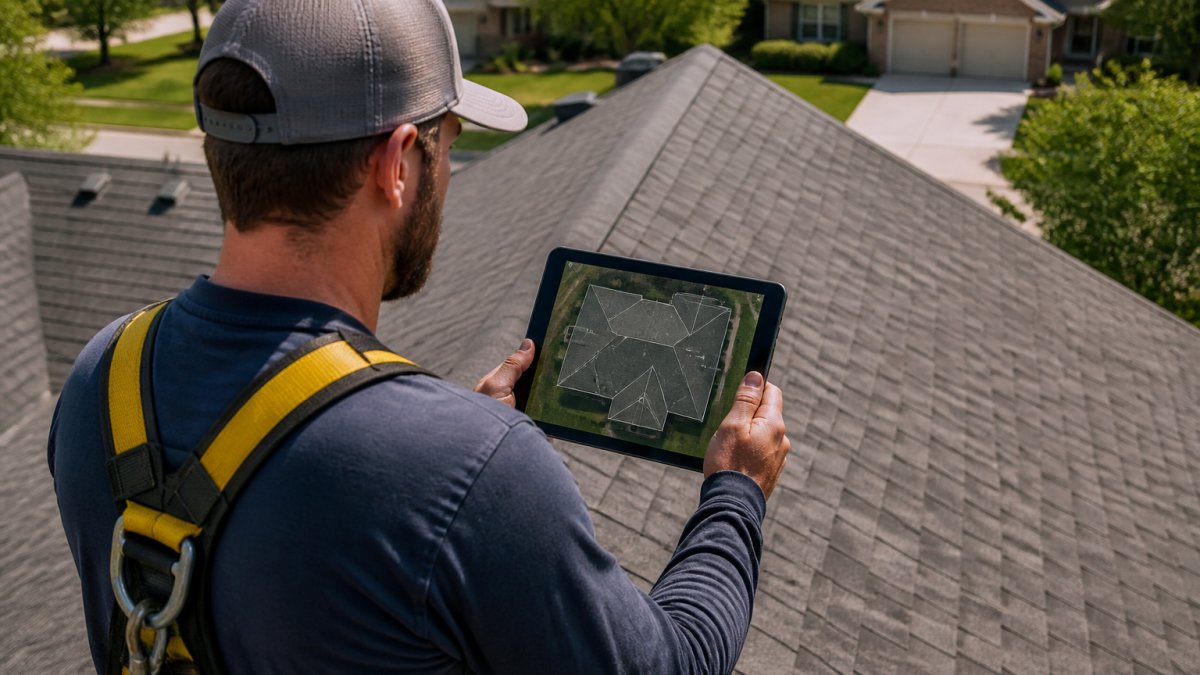
Manual measurement still matters for complex roofs. Dormers, turrets, and steep pitches confuse the software. Check those by hand.
Aerial Imagery vs. Job-Site Photos: What AI Can Read
Aerial imagery reads roof area, pitch, and facet count well. It struggles with shingle condition, soft spots, and flashing detail.
Job-site photos fill that gap. A phone photo of a damaged section gives the AI visual data on shingle condition and deck damage.
Use both. Aerial for the takeoff, photos for the damage scope.
Step 3: Turn Measurements into a Line-Item Estimate with AI Roofing Estimating Software
AI roofing estimating software converts a roof takeoff into a line-item estimate, applying your material quantities, labor rates, and cost calculations to build a structured quote, not a lump sum, but a list:
- Shingles by square and type
- Underlayment and ice barrier
- Flashing and ventilation
Most contractors stop there. The sequence below is where estimates hold up or fall apart.
The Input-to-Output Workflow
Every AI estimating tool runs the same basic pipeline. Knowing it lets you audit any tool and spot where it will fail on your jobs.
- Import the takeoff. Roof area, pitch, facet count, and linear measurements (ridge, hip, valley, eave) come from the measurement step, automatic if your tool integrates with the measurement platform, otherwise pasted or uploaded.
- Load your price list. Material costs by SKU, unit of measure, and supplier, the input contractors most often neglect, and the one that moves your bottom line most.
- Load your labor model. Hourly rates by trade, crew size, and production rates (squares per day, squares per crew-hour). Production rates matter more than hourly rate for most jobs.
- Set waste and accessory factors. Waste factor by roof complexity (simple gable vs. cut-up hip), starter course, ridge cap, drip edge, and ventilation quantities per linear foot or per square.
- Apply overhead and markup. Overhead recovery per job, target gross margin, and job-specific adjustments.
- Generate the line items. The tool multiplies quantities by unit costs, applies labor hours by production rate, and outputs a structured estimate.
A Worked Example
Say the takeoff returns a 28-square roof at 6/12 pitch with 180 linear feet of ridge, 120 feet of hip, and 60 feet of valley. A typical AI estimating workflow produces something like this:
| Line item | Quantity | Basis |
|---|---|---|
| Architectural shingles | 31 squares | 28 squares + 10% waste |
| Synthetic underlayment | 30 squares | Roof area + 1 roll overlap |
| Ice and water shield | 3 squares | Eaves, valleys, penetrations |
| Starter course | 180 LF | Eave length |
| Ridge cap | 180 LF | Ridge length |
| Hip and ridge | 120 LF | Hip length |
| Valley flashing | 60 LF | Valley length |
| Drip edge | 360 LF | Eaves + rakes |
| Ridge vent | 180 LF | Ridge length |
| Tear-off labor | 28 squares | Production rate |
| Install labor | 28 squares | Production rate |
| Disposal | 1 dumpster | Job-based |
Exact quantities depend on your waste factor, accessory rules, and supplier packaging. The point: every line traces back to a measurement or a rule you set, so a wrong line can be traced.
Where Contractors Get This Wrong
- Waste factor is not one number. A simple gable roof may run 5-8% waste. A cut-up hip roof with multiple valleys can run 12-15%. Set waste by roof type, not globally.
- Labor is not one rate. Tear-off, install, and detail work run at different production rates. A single blended rate hides your real cost on complex jobs.
- Accessories get forgotten. Drip edge, ridge vent, pipe boots, and step flashing add up. If your template does not prompt for them, the AI will not invent them.
What to Review Before the Estimate Leaves Your Desk
Run this check on every AI-generated estimate:
- Does the roof area match the measurement report?
- Are waste factors set by roof type, not a single default?
- Do labor lines reflect your actual production rates?
- Are all accessories present, drip edge, ridge vent, boots, flashing?
- Is overhead separated from markup?
- Does the total margin match your target?
If any answer is no, fix the input, not the output. The AI is doing exactly what you told it to do.
Step 4: Verify Accuracy and Spot Damage Before You Send
Verification is the step most contractors skip, and the one that protects your margin. AI is fast and consistent, but it is not a roofer: it does not know a hail-bruised shingle field needs replacement when the surface looks intact, or that a 12/12 pitch with three dormers will eat your crew's day.
The Verification Stack
Run every AI estimate through four layers before it goes to the customer.
Layer 1, Measurement sanity check. Compare the AI roof area against a manual measurement on the largest and most complex facets.
Layer 2, Damage scope review. Cross-check AI damage findings against your job-site photos.
Layer 3, Line-item completeness. Confirm every line item has a quantity, a unit, and a price.
Layer 4, Margin check. Confirm the estimate hits your target gross margin after overhead recovery.
Which Findings Require a Human on the Roof
AI is not a substitute for an on-site inspection. Send a person to the roof when any of these are true:
- The roof has three or more planes, dormers, or turrets
- Pitch exceeds 10/12
- The AI flags any structural concern (sagging, soft spots, decking damage)
For simple gable and hip roofs under 10/12 with no structural flags, an aerial takeoff plus photo review is usually enough.
Benchmarking Estimate Accuracy Over Time
The only way to know if your AI estimates are accurate is to compare them against completed jobs. Build a tracking sheet with these columns:
| Column | What to Record |
|---|---|
| Job ID | Your internal reference |
| AI estimate total | What the tool produced |
| Final invoiced total | What you actually billed |
| Variance ($) | Difference |
| Variance (%) | Difference as a percent |
| Primary cause | Material, labor, scope, or waste |
After 20-30 jobs, patterns emerge, commonly, material lines run close to accurate while labor lines drift on complex roofs. That tells you to adjust production rates, not the AI.
Set an acceptable variance threshold, many contractors target within 5% on material and 10% on labor for standard roofs. Anything outside that range gets a root-cause note. Over time, the tracking sheet becomes your most valuable estimating asset: the only feedback loop that makes the AI better at your business.
Documentation for Insurance Claims
If insurance is involved, the estimate is a claim document, not just a quote. Build the file with:
- The measurement report (aerial and any manual verification)
- Dated job-site photos of every damaged area, with a scale reference where possible
- The itemized line-item estimate with quantities and unit prices
According to FEMA guidance on roof damage assessment, hail and wind damage often hides under intact shingles. A visual check matters, and the photo record is what supports the claim when the adjuster pushes back.
When to Skip AI and Send a Human First
Some jobs should not start with AI. If the property has known structural issues, active leaks, or a disputed prior claim, send an inspector first. AI is a productivity tool, not a diagnostic tool. Knowing when not to use it is part of using it well.
Step 5: Format the Estimate Using a Roofing Estimate Template
A roofing estimate template turns raw numbers into a document a homeowner will sign. Format matters as much as price.
A strong template includes:
| Section | What It Shows |
|---|---|
| Job summary | Address, scope, and timeline |
| Line items | Materials, labor, and quantities |
| Exclusions | What the price does not cover |
| Payment terms | Deposit, milestones, and final payment |
| Signature block | Clear approval line |
AI can populate this template in seconds. You still review it before it goes out.
Keep the language plain. Homeowners sign estimates they understand.
Step 6: Review Roofing Estimate Examples and Adjust for Profit Margin
Study roofing estimate examples before you set your own. Compare how other contractors structure line items, present options, and handle exclusions.
Then adjust for profit margin. Your estimate must cover:
- Material costs
- Labor and payroll taxes
- Overhead (trucks, insurance, office)
A common mistake is pricing to win every job. Winning at a loss is worse than losing the bid.
Common Mistakes to Avoid When Using AI for Roofing Estimates
The biggest mistake when you learn how to use AI for roofing estimates is treating AI output as final. It is a draft, not a signed contract.
Other errors we see:
- Skipping the manual check on complex roofs
- Using outdated material prices
- Sending estimates without a damage review
Automated reports and structured estimates save time. They do not replace judgment.
If you want AI that handles lead response, follow-up, and estimate generation without adding work to your plate, our fully managed systems connect your voice agents, chatbots, and CRM under one roof. And if you would rather see the numbers on your own roof first, you can Get A Free Estimate Quote And Book A Call Today to walk through what an AI-driven estimate looks like for your business.
Frequently Asked Questions
Is there an AI roof cost estimator available?
Yes. Several AI roofing estimating software platforms generate a roof cost estimate from aerial imagery and your pricing inputs. You enter material prices, labor rates, and overhead, and the software calculates a line-item quote. Accuracy depends on the quality of the imagery and your pricing data, so always review the output before sending it to a homeowner. Most contractors find AI estimates are a strong starting point that saves 30-60 minutes per job.
How accurate are AI-generated roofing estimates?
AI roof measurement software typically achieves measurement accuracy within 2-5% of a manual takeoff when aerial imagery is clear and the roof has standard geometry. Complex roofs with multiple facets, dormers, or steep pitch can introduce larger variances. The safest workflow is to treat the AI estimate as a draft, then verify roof area, pitch, and surface details with a site visit or high-resolution drone photos before finalizing the quote.
Can AI create a roofing estimate from aerial imagery?
Yes. AI tools analyze aerial imagery to identify roof dimensions, facets, pitch, and surface details like shingle condition, flashing, and ventilation. The software then applies your material quantities, labor rates, and cost calculations to produce a structured estimate. Accuracy improves when you combine aerial data with job-site photos and a quick on-site check for deck damage or hail history that imagery alone cannot reveal.
What should a roofer check before sending an AI-generated estimate?
Verify roof area, pitch, and facet count against the imagery or a physical measurement. Confirm material quantities match the actual roof layout, including waste factor. Check that labor rates reflect your crew's current costs and that accessory components like flashing and ventilation are included. Review the repair scope for any damage the AI may have missed, such as deck rot or hail history. Finally, confirm the profit margin meets your target before sending.
Roofing estimates still need a human eye on the numbers. The contractors who win are the ones who pair AI speed with real verification. Uberwood Agency builds custom AI systems that capture leads, automate follow-up, and keep your pipeline moving while you focus on closing deals. Get started with Uberwood Agency and book a free estimate call to see how a done-for-you setup fits your business.